8 Unforgettable Styles of Funny Rhymes for Birthdays (2026 Edition)
Stuck in a rut writing the same old birthday message? This year, ditch the clichés and learn how to create genuinely funny rhymes for birthdays th


Dec 18, 2025 | 20 Min Read

A group video greeting card weaves together short clips from friends, family or colleagues into one memorable keepsake. It’s perfect for birthdays, farewells and any occasion that deserves a personal touch.
Think of it as a digital scrapbook where each contributor records a quick message on their phone. Once everyone’s done, the platform stitches those clips into a smooth montage you can email, post on social media or unlock via a QR code printed on a card.
Hybrid versions combine a classic printed design with a hidden digital surprise. The physical card holds a QR code or link that leads straight to the compiled video. You get the charm of a tangible keepsake plus the magic of moving pictures. Learn more about UK greeting card market trends on Grand View Research.
Key Benefits:
Visit Firacard to explore pre-designed birthday (birthday templates), Christmas (Christmas eCard layouts) and farewell (farewell card designs) templates.
In a busy office, people chip in to mark a colleague’s retirement or celebrate a project win. It’s easy: everyone films a quick hello, and the organiser compiles it into one surprise video card.
At family reunions, cousins from different countries shoot short greetings on their phones. The result? A touching clip that brings everyone together, even when miles apart.
Below is an at-a-glance look at how different card options stack up on cost, engagement and keepsake value.
| Format | Typical Cost | Engagement Level | Keepsake Value |
|---|---|---|---|
| Physical Cards | £2–£5 | Medium | High |
| E-cards | £0–£1 | Low–Medium | Low |
| Group Video Greeting Cards | £3–£10 | High | Medium–High |
Even though physical cards have that nostalgic charm, video cards often win on emotional engagement—while still offering a memento you can tuck away.
Nothing beats seeing loved ones’ faces light up the screen. A video montage captures laughter, happy tears and off-the-cuff moments you simply can’t get in a text note.
The screenshot below shows a Christmas e-card template on Firacard.
Notice how video thumbnails nestle into festive layouts with straightforward controls.
Group video greeting cards consistently outperform static e-cards in engagement scores. Explore whether video slideshows can replace traditional group cards in our article: Can Video Slideshows Replace Traditional Group Cards.
This approach threads individual messages into one seamless story. It works just as well for office teams, school classes or big family gatherings.
Next, you’ll see how to plan your collaborative project with clear deadlines and roles. Platforms like Firacard make creating, protecting and delivering your video card a breeze—often in just a few minutes.
A group video greeting card is more than footage stitched together; it’s a shared moment brought to life.
Whenever a milestone like a retirement or a virtual team victory comes around, locking in the event’s theme early prevents stray clips that don’t quite fit. For instance, an office farewell might call for a playful vibe, whereas a family send-off benefits from heartfelt messages.
UK market research shows younger senders are driving demand for digital cards. Incorporating QR codes and embedded video links can boost engagement and fuel growth. Discover more insights about greeting card market growth on WK Information.
When inviting contributors, be crystal clear about your expectations:
Sharing a couple of sample cards helps everyone feel the flow. Suggest mobile or desktop recording, and mention simple audio upgrades like using headphones with a built-in mic.
Getting people on board with their part stops overlap or gaps. Typically you need:
Automating reminders and managing access protects your project from slipped deadlines or unwanted viewers. Tools like Google Calendar or Trello let you:
Platforms like Firacard support these options without extra setup.
Kickstart creativity with pre-made designs. Explore birthday templates or draw inspiration from seasonal collections. You might also find farewell card themes useful.
You may be interested in our guide on Building Memorable Virtual Group Cards for extra tips and scripts.
A transparent timeline keeps everyone on the same page:
Pin this schedule to your project channel or group chat. Before you hit “send,” assign someone to test the video on various devices:
This quick quality check helps you catch glitches before the big reveal.
In one global team holiday greeting, the organiser previewed Christmas eCard layouts on Firacard and delivered a QR code card that unlocked the montage. A local school club scheduled recording slots via group chat and dropped clips into a shared board.
Below is a visual guide showing the three core stages: record, compile then share.
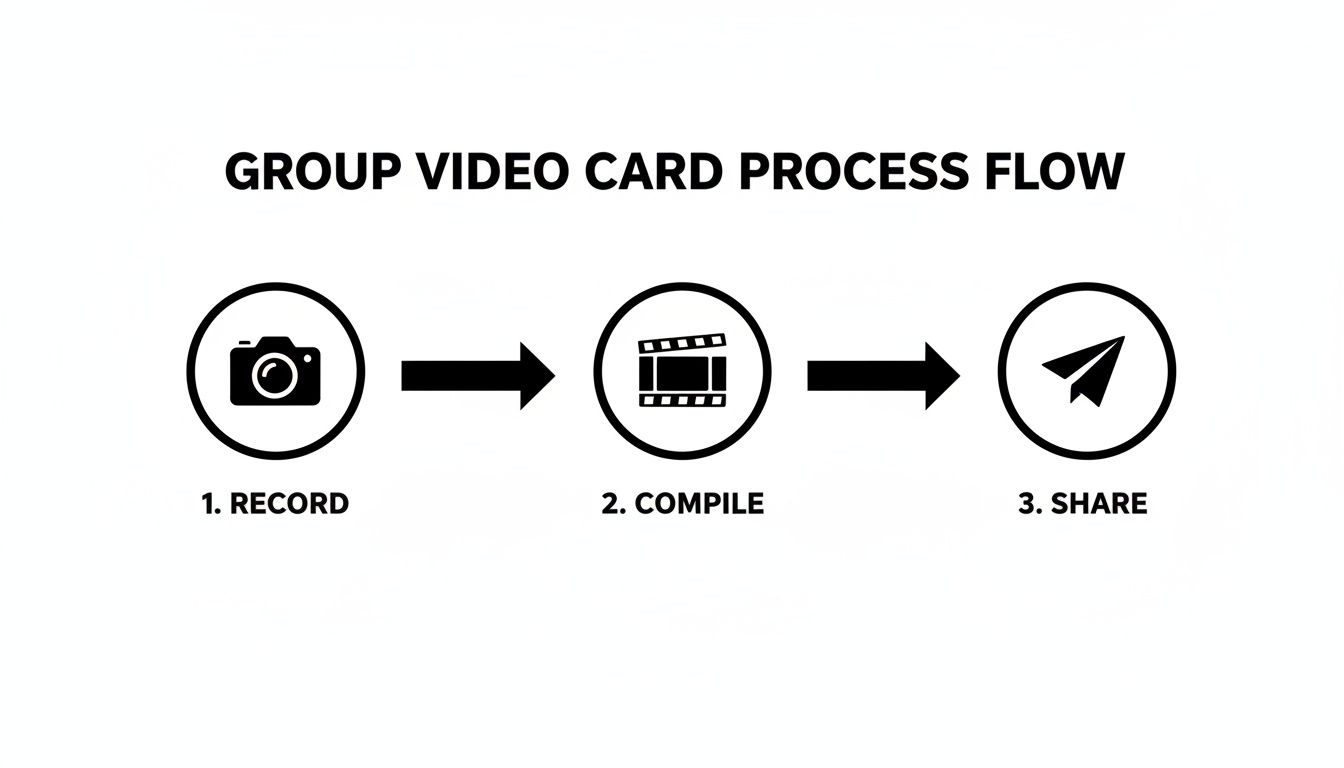
Each phase builds on the last, keeping the momentum going from day one through delivery.
Regular, concise updates are crucial. Consider a simple routine:
Timely nudges increase participation by up to 40% in group projects.
To match your theme browse birthday templates or farewell card designs on Firacard for inspiration.
Always have a backup delivery method—embed on a portal or send a direct email link in case QR codes act up. With a solid plan, the team stays confident, and contributors know exactly what’s expected.
Clear structure, smart tools and well-defined roles will help you turn scattered ideas into a polished video greeting that resonates. Now, lean back and enjoy the creative journey!
Coordinating clips from a distributed team often feels like herding cats. Without clear direction, people default to scripted greetings or half-hearted shout-outs.
A memorable group video hinges on genuine moments. It’s those little quirks and candid smiles that make viewers lean in.
Begin by offering open-ended prompts—think “Share your favourite team memory” or “What advice would you give on day one?” These questions invite real stories. Then, guide contributors on lighting, framing and audio so clips look and sound consistent.
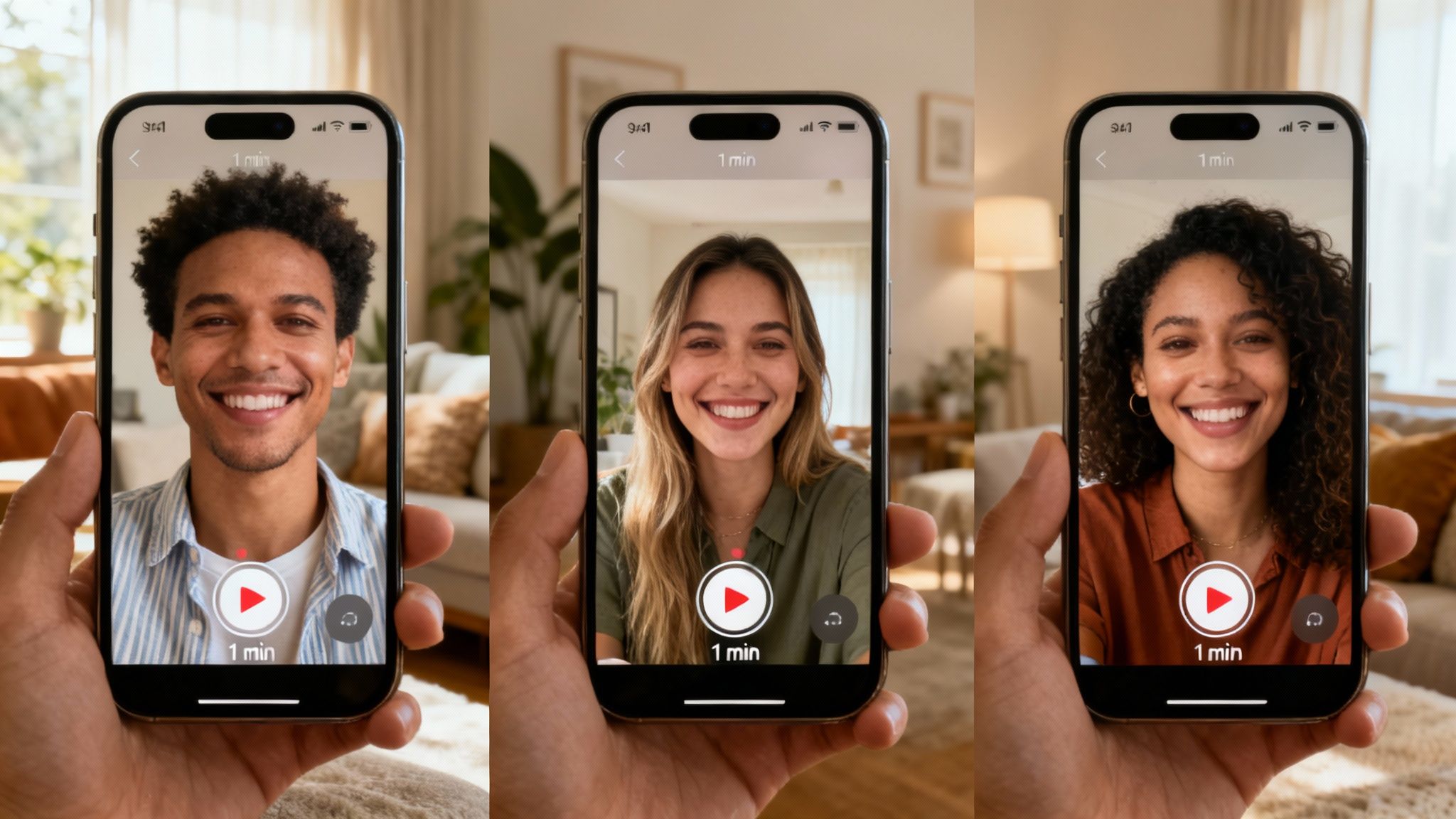
Rather than “Send a video,” give folks a hook:
Drop these prompts into Slack channels, email threads or your project dashboard for maximum reach. I’ve seen participation jump by 20% when the first few clips get a shout-out in the next team meeting.
Curious about speeding up collection? Check out our detailed walkthrough for quick video submissions.
Relying on memory is risky. Automated nudges keep deadlines visible without extra manual work.
| Tool | Alert Types | Free Limit |
|---|---|---|
| Calendly | Email, SMS | 1 event type |
| Doodle | Web invitations | 1 poll |
| Calendar invites | Unlimited |
A concise weekly reminder—subject line like “Last Call: Your Video Clip”—does wonders. Schedule it once and let the tool do the rest.
Not everyone is a video whiz. A short screencast paired with a quick-start guide helps novices record confidently.
Platforms offering one-click uploads cut down on frustration. Plus, a dedicated Slack or Teams channel for troubleshooting ensures no one gets stuck.
When someone spots a snag at the eleventh hour, hop on a 5-minute video call. It’s faster than a string of emails and saves you from unusable footage later.
We all know the pain of late or poor-quality submissions. Here’s how to tackle the top issues:
Quality over quantity ensures the final montage resonates with each recipient
Keep a live tracker—think spreadsheet or Kanban board—to flag who still owes a clip. A quick “thank you” for each incoming video keeps the energy high.
Every event has its own flavour. Tailor prompts to fit:
Pin these questions in email signatures or channel headers. Whenever possible, add a visual sample—people respond better when they can picture the end result.
Transparency builds trust. Let contributors know who will see their videos and how long they’ll be stored.
Offering password protection via services like Firacard gives peace of mind. Always encrypt uploads and, when relevant, include an opt-in statement in your initial invite.
With clear boundaries and secure channels, contributors feel safe sharing their best moments.
Elevating your group video greeting card with a finely tuned montage turns a simple message into an emotional journey. It’s about blending clips, audio and text so they flow like a heartfelt conversation.
Choosing the right editor comes first. Free solutions like iMovie and DaVinci Resolve pack powerful colour tools at no cost. Paid suites such as Adobe Premiere Pro or Filmora unlock extra features—think motion graphics and royalty-free libraries.
If you need a quick, browser-based fix, Kapwing handles social-ready clips. Just remember it may cap export quality. Match your selection to your team’s skills and budget.
Below is a quick overview to help you balance price, simplicity and functionality:
| Tool | Cost | Ease Of Use | Key Features |
|---|---|---|---|
| iMovie | Free (Mac only) | High | Basic transitions, built-in colour presets, one-click export |
| Adobe Premiere Pro | From £19.97/mo | Medium | Multi-track editing, 4K support, advanced colour tools |
| DaVinci Resolve | Free/Paid Studio | Medium | Professional colour grading, Fairlight audio suite |
| Filmora | £49/year | High | Drag-and-drop interface, split-screen layouts, royalty-free music |
| Kapwing | Free limited plan | High | Auto subtitles, social media presets, browser-based editing |
Use this snapshot to see which editor fits your project. Remember, cost isn’t everything—focus on features that matter most for your group video card.
Start with a striking opener, like a custom title card or brief animation. Then weave in punchy sound bites that showcase real sentiments.
Finish on a memorable note—perhaps a collective thank-you or branded outro. Simple fades and slides keep momentum without distracting your audience.
Try these go-to transitions:
Overlay captions on calmer footage so every message reads clearly.
“A polished montage can boost engagement by 30%.”
Music underlies every emotional beat. Choose royalty-free tracks or upload your own tune for a personal touch. Keep vocal clips clear by adjusting background levels.
Brand identity slips in smoothly with a subtle logo intro or watermark. Stick to your brand’s colour palette and fonts to reinforce familiarity.
Key audio tips:
Here’s how a birthday e-card layout looks on Firacard’s platform:
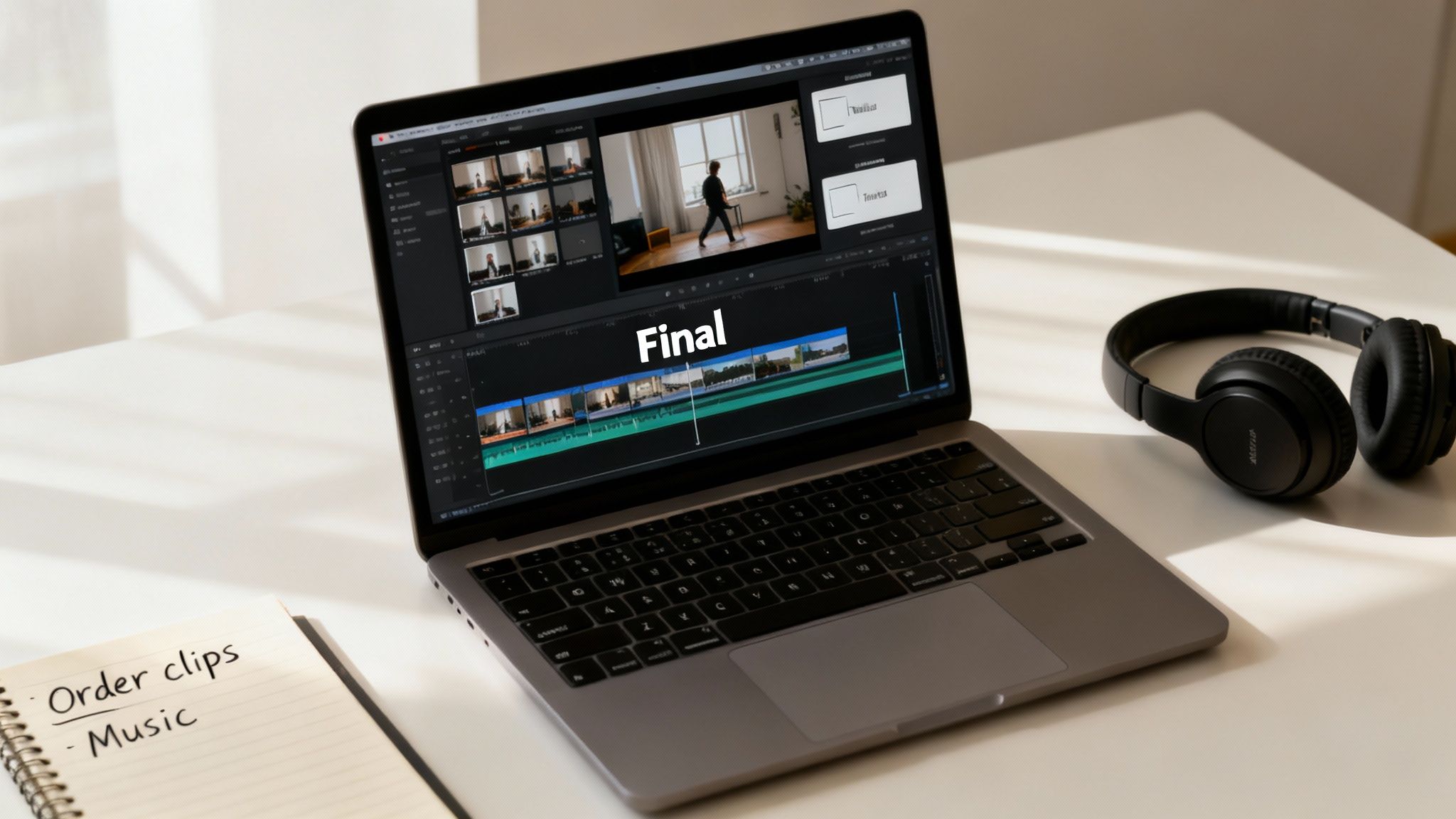
You’ll spot intuitive clip arrangement and ready-to-edit title cards. For deeper inspiration, explore our guide on creating heartfelt collaborative video slideshows with Firacard.
Tailor your settings to the delivery channel. MP4 at 1080p or animated GIFs are ideal for emails and social feeds. The H.264 codec ensures broad compatibility.
Keep these export guidelines in mind:
A quick test email or QR scan catches last-minute hiccups. Once approved, share via your preferred email platform or print QR codes on keepsake cards. With the right export specs, your video will look crisp and play smoothly every time.
Keyboard shortcuts are your best friend—learn them to speed up trimming and layering. Save custom presets for recurring projects. Collaborate in cloud editors to gather real-time feedback. Archive raw clips so you can swap scenes if needed, and regularly clear unused media to keep files light.
“A rapid render cycle leaves more room for creative polish.”
Too many effects? They tend to dilute rather than amplify your message. Monitor audio peaks to prevent jarring volume jumps. Keep visual elements consistent to reinforce your theme. And always test playback on target devices to avoid awkward surprises.
Fuel your montage skills with these platforms and communities:
Explore blogs and workshops to stay current. If you hit a snag, Firacard’s troubleshooting guide has you covered.
Collect feedback from viewers to refine your approach. Archive both raw and final files in a template library for faster future builds. Celebrate successes by sharing metrics like view counts or heartfelt replies. With every project, your group video greeting cards will come together more quickly and resonate more deeply. Keep experimenting, and let storytelling lead the way.
Happy editing journey!
Getting your group video greeting card to the recipient just right can really dial up the emotion. Slide it into an e-card on www.firacard.com for smooth playback. Or, if you prefer something tangible, print a QR code on paper and let people scan to watch your montage unfold.
The Firacard editor makes embedding a breeze. Drop in your MP4 or YouTube link, pick a thumbnail, and you’re set.
This view shows how QR codes and video previews marry perfectly in the card layout.
Email hits inboxes at lightning speed while a printed card sits on the mantelpiece. Blend digital and snail mail for a double surprise.
Our sweet spots?
A hybrid dispatch covers both screen devotees and those who cherish a paper keepsake.
Stick a short, warm note on your e-card or the front of your printed card. Mention the recipient’s name and the occasion to make it hit home.
Browse birthday templates at Firacard or Christmas designs via Firacard.
Firacard’s dashboard surfaces view counts, play rates and shares in a heartbeat. You’ll see which clips struck a chord and refine your approach next time.
Post-delivery notes can boost replays by 25%.
Try these follow-up moves:
If you want that premium feel, go for 300gsm card stock. A sturdy print makes the unboxing moment memorable.
Picking the right envelope and postage is the simplest way to avoid bent corners and lost deliveries. A sturdy 5 × 7″ mailer usually does the trick.
Once your cards are delivered, keep the conversation alive. A casual check-in shows you care about their reaction.
Last December, a UK school sent festive e-cards using Firacard’s Christmas template. Teachers then mailed printed cards, complete with QR codes, to families. After a lively group chat discussion, they hit an impressive 90% view rate and were flooded with heartfelt thank-you messages.
Don’t forget: always test every link and QR code across devices before your big send. A few quick checks now save embarrassment later.
Now go ahead and hit send with confidence—watch those smiles spread.
Even the most meticulously organised group video greeting card can throw a surprise your way. Late clips or audio hiccups often derail even the best-laid plans.
You might encounter issues such as:
Nothing pulls viewers out of the moment faster than mismatched sound. A simple clap or hand-clap marker at the start of every take gives you a precise sync point.
Load your footage into DaVinci Resolve (or Premiere Pro), zoom in on the waveform and nudge the audio layer until dialogue and visuals snap together.
“Consistent audio markers save up to 15 minutes per clip in editing,” says Chris, a seasoned video technician.
Raw video often outgrows email limits. Instead, consider:
Always aim to export at 1080p. You’ll maintain quality while speeding up uploads.
In the UK greeting-cards sector, import value fell 5.64% year-on-year even as volume rose slightly—proof that margins in physical card supply chains are tightening. Meanwhile, leading online card sites are enjoying double-digit search growth, underscoring the value of digital offerings. Explore more on UK market margins here.
Contributors can vanish at the last minute. Always have a buffer:
Pairing your digital video with a printed card can heighten the impact. When you’re budgeting, remember to factor in:
Ordering in bulk or opting for simpler designs will help you keep costs down without losing charm.
Deadlines slip unless you set clear milestones. Try a four-week roadmap:
A shared spreadsheet—or even better, a Kanban board—makes outstanding tasks visible to everyone.
Key Takeaway: Positive nudges boost participation by up to 30%.
For an even smoother ride:
These steps will keep you on track and on budget, delivering a polished final product every time.
A video that works on desktop might stumble on mobile. Test early and often:
Sorting out codec mismatches now ensures nobody hits a playback snag later. Firacard handles most common formats, but a quick pre-delivery test is always worth the peace of mind.
“Always confirm playback in the environment your recipient uses most.”
Tackling these hiccups today means smoother launches tomorrow. With a solid checklist, the right platform tools and clear communication, you’ll consistently exceed expectations—without last-minute stress.
Match your Firacard plan to the exact number of contributors to avoid overpaying. Reuse card templates and build a central media library for speedy access. Finally, schedule mailings during off-peak postage times to shave off mailing costs.
Video clip length always sparks debate. In our experience, letting each person speak for about 20–30 seconds keeps the momentum going. Anything over a minute, and watch rates slump by roughly 20% – under ten seconds, the message feels rushed.
We’ve tried tools that crash on mobile and others that demand installs – it’s frustrating. The smoothest services let you hit “play” right in your browser, whether you’re on iOS, Android, Windows or macOS. Firacard, for example, streams instantly and handles every video format automatically.
Locking down who can view or add clips also makes a difference. A simple password on your board and manual approval for each upload puts everyone’s mind at ease.
A secured board increases participant comfort by 45%, according to recent project data.
Knowing your group’s messages stay private is priceless. Look for platforms offering end-to-end encryption or links that expire after a set time. Passwords and time-limited access tokens further safeguard content. And always let contributors know exactly how long you’ll store their clips.
Merging print and digital gives your card an extra layer of nostalgia. We recommend printing a QR code on 300gsm card stock. A quick scan, and the entire video montage pops up on any device.
In one office farewell, mixing print with digital bumped view rates by 30%.
Hungry for ideas? Browse Birthday Designs on Firacard, explore our Farewell Cards or check out Holiday Layouts.
Tracking clip views after sending gives you the insight to fine-tune length and format for next time. Armed with that data, your next group card will land just right.
Ready to launch your group video greeting card? Visit Firacard to get started today.


Stuck in a rut writing the same old birthday message? This year, ditch the clichés and learn how to create genuinely funny rhymes for birthdays th
Saying goodbye to a teacher is a really big deal, and goodbye teacher cards are a fantastic way to show them how much you appreciate everything the
Graduation marks a monumental milestone, a culmination of years of dedication and hard work. But finding the right words to capture your pride and