
50th Birthday Wishes: 8 Meaningful Templates
Finding the right words for a 50th birthday can feel oddly difficult. You want to honour a major milestone without making the message sound like a


Jan 4, 2026 | 22 Min Read
Managing a remote team effectively isn’t about just winging it. It all boils down to a framework built on three things: trust, clarity, and intentional connection. The old ways of managing by walking around an office are dead and gone. Today's leaders have to get good at asynchronous work, focus on outcomes instead of hours logged, and proactively build a culture that works no matter where people are.
The whole landscape of work has changed, and you can really see it here in the UK. The traditional, office-first way of managing just isn't the default anymore. It's been replaced by a more flexible, results-driven approach that distributed teams expect. Leading a team in this new world requires a completely different playbook.
This isn't about trying to recreate the office over Zoom. It's about a fundamental rethink of what leadership means. The new model moves away from the temptations of micromanagement and presenteeism, and instead focuses on giving your team the autonomy and trust they need to do brilliant work, wherever they happen to be.
In an office, it's easy to manage by osmosis. You pick up on things by overhearing conversations, having quick chats at someone's desk, or just feeling the 'vibe' of the room. Take that away, and outdated management styles start to show their cracks.
Managers who are used to seeing people work suddenly have no idea how to measure productivity. Without deliberate effort, teams can feel isolated, out of the loop, and completely unsupported. The challenges are real, but so are the opportunities. The modern framework for leading remote teams is built on three core pillars:
This diagram shows how these three pillars form the bedrock of modern, effective remote leadership.
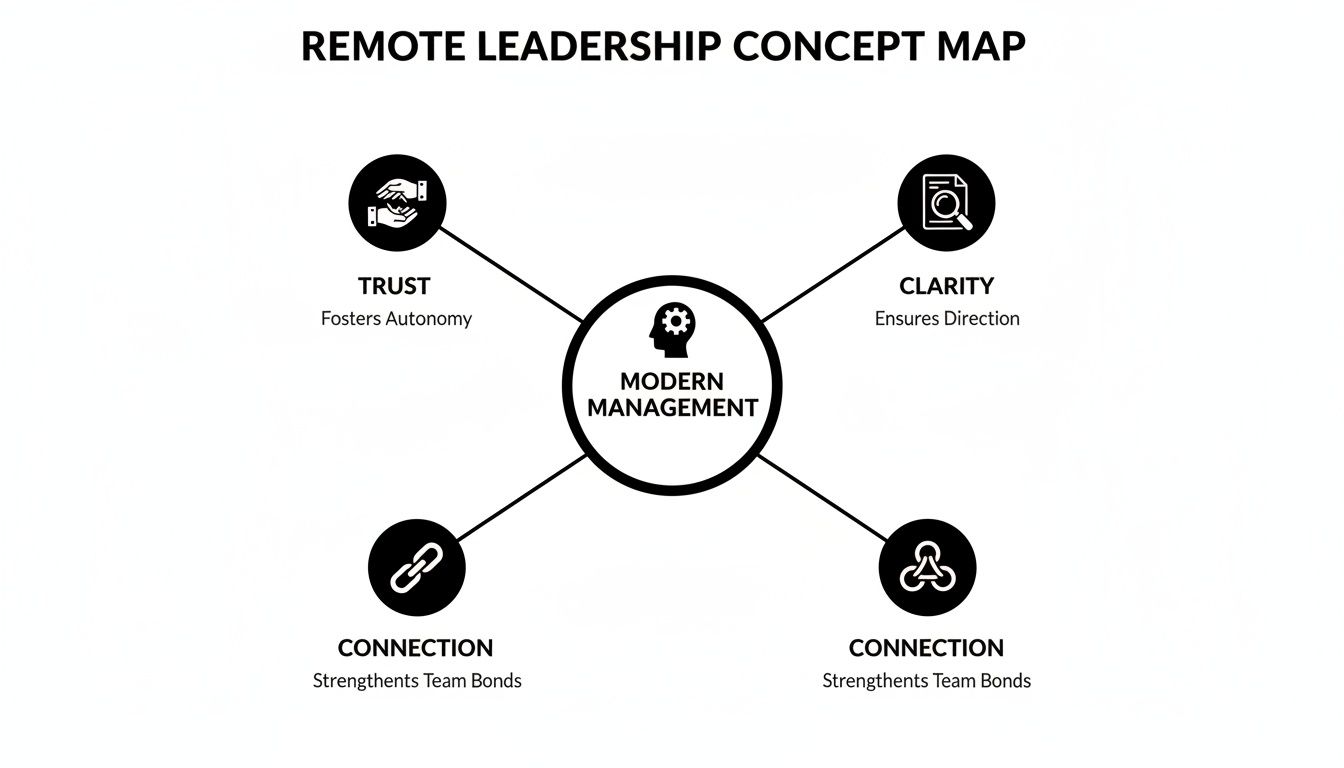
The key takeaway here is that you can't have one without the others. It's tough to build trust without clear communication, and you'll never get genuine connection without a foundation of trust.
Let's be clear: this isn't some passing fad. It’s a permanent part of the British working world now. A massive 40% of UK workers are now in a remote or hybrid setup, a huge jump from before the pandemic. That figure alone tells you that flexibility isn't a perk anymore—it's a core expectation for a massive chunk of the workforce.
Effective remote leadership means shifting from being a 'manager-as-supervisor' to a 'manager-as-facilitator'. Your real job is to clear roadblocks, provide resources, and create an environment where your team can truly shine on their own.
This guide is packed with the practical strategies you need to make that shift. From mastering async communication to building a culture that actually feels alive online, you'll find what you need to lead your team to success. A great place to start is by nailing your virtual onboarding, as it sets the tone for a new hire from day one. For a deep dive, check out our guide on remote onboarding best practices.
Managing a remote team isn't about jamming everyone's calendar with back-to-back video calls. It's about building a communication rhythm that feels predictable and intentional. When you lose the spontaneous office chats, you have to be deliberate about how your team connects. The real goal is a system that keeps everyone on the same page without burning them out.
At the heart of this is a simple but powerful concept: knowing when to talk in real-time and when not to. Getting this balance right is pretty much the secret sauce to making remote work actually work.
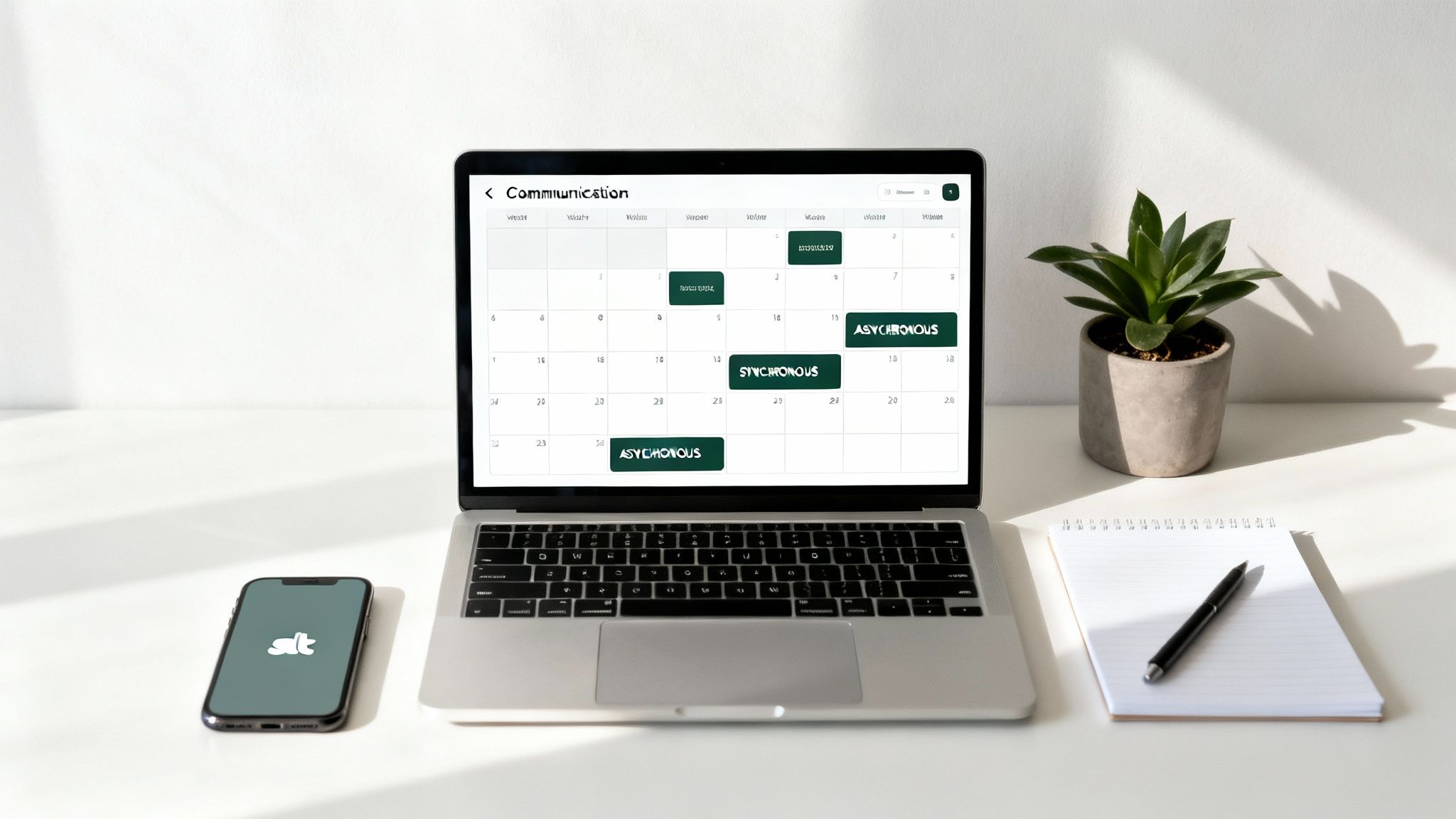
Think of synchronous communication as anything happening live. It’s the video calls, the quick phone chat, or the instant messages that need an answer right now. This is your go-to for untangling a complex problem, making a time-sensitive decision, or kicking around ideas in a brainstorm where you need that rapid-fire energy.
Then you have asynchronous communication, which is all about flexibility. It’s the email you send, the comment you leave on an Asana task, or the quick video update you record with Loom. No one expects an immediate reply, which is a massive win for respecting different time zones and, crucially, protecting deep-focus time. That’s where the best work usually happens.
A classic mistake I see is when managers treat every message like it's a five-alarm fire. This pushes the entire team into a reactive, always-on mode that just kills productivity with constant pings and interruptions. The trick is to make async your default setting for almost everything.
A simple way to put this into practice is by creating a 'Communication Charter'. It's just a straightforward document that lays out the rules of engagement—which tools to use for what, and what the expectations are for response times. For instance: Slack is for quick questions where you'll get a reply within a few hours, while email is for general updates that can wait 24 hours. This one small change removes so much guesswork and anxiety.
A solid meeting cadence is the backbone of a well-run remote team. Instead of randomly dropping meetings into people’s diaries, you create a reliable schedule that provides structure without suffocating everyone. It’s about creating touchpoints that anchor the week and protect that precious focus time.
Here are the essentials I’ve found work best:
This kind of rhythm brings predictability and ensures the important conversations are happening without everyone feeling "zoomed out". Staying sharp on how teams connect is always evolving. To dig a little deeper, check out our insights on evolving digital communication trends.
Choosing the right channel for the right conversation can make or break your team's productivity. Here's a quick guide to help you decide on the fly.
| Scenario | Best Method | Why It Works | Tools |
|---|---|---|---|
| Urgent project fire | Synchronous | You need to get key people together for immediate problem-solving and a quick decision. | Video call (Zoom, Teams) |
| General project update | Asynchronous | It creates a clear, written record of progress without pulling everyone away from their work. | Project board (Trello) |
| Brainstorming a new feature | Synchronous | The live, back-and-forth energy of a group chat often leads to more creative breakthroughs. | Virtual whiteboard (Miro, Mural) |
| Giving detailed feedback on a doc | Asynchronous | It gives the other person space to properly read and digest the feedback before replying. | Document comments (Google Docs) |
By being thoughtful about how you communicate, you build a foundation that supports both high performance and genuine connection. It’s this intentional approach that really separates the great remote teams from the ones that just muddle through.
When you're leading a remote team, the single biggest mindset shift you need to make is from watching activity to measuring achievements. It's a classic trap for new remote managers: you can't see your team, so you start watching their online status or obsessing over logged hours. This path leads straight to micromanagement, and it absolutely kills trust.
The secret to great remote leadership is caring about what gets done, not when or how it gets done.
This results-first approach gives your team the autonomy they crave. It empowers them to design a workday that actually works for them. Some people are early birds, others are night owls. By focusing on outcomes, you’re not just managing staff; you’re leading a team of trusted professionals you’ve hired to do a job.
For any of this to work, you need absolute clarity. If you expect people to deliver specific results, they need to know exactly what those results are. Vague instructions are the enemy of remote work.
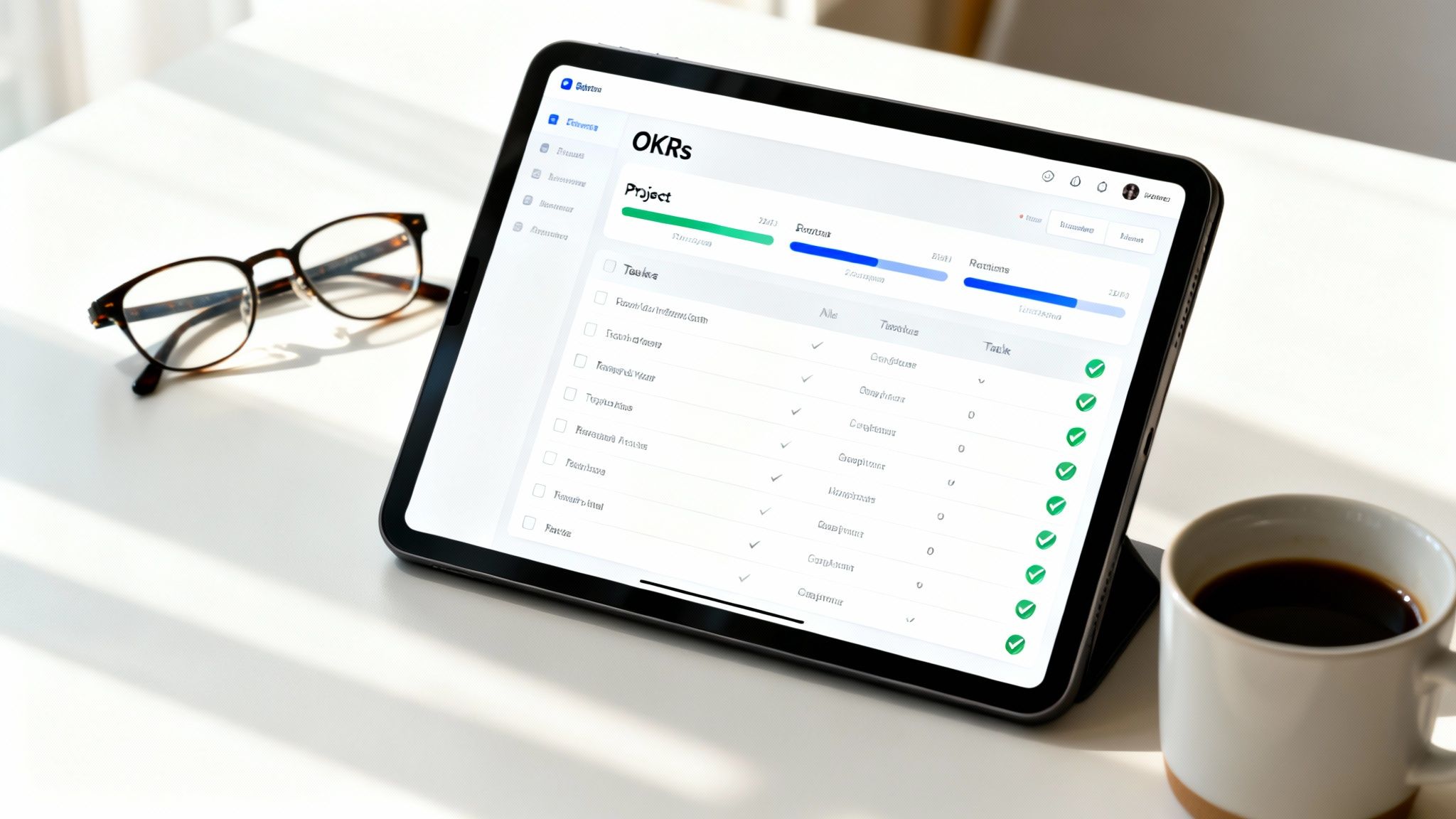
This is where a framework like OKRs (Objectives and Key Results) comes in handy. You don't need to be a massive tech company to use them, either. The logic is simple.
An Objective is your ambitious, qualitative goal—what are we trying to achieve? The Key Result is the measurable proof that you got there.
The crucial last step is to document these goals somewhere everyone can see them, like in your project management tool or company wiki. This keeps the team aligned and shows them how their day-to-day tasks contribute to the bigger picture.
With clear goals in place, the next challenge is tracking progress without breathing down everyone’s neck. This isn't about hourly check-ins. It's about having predictable touchpoints and letting your tools do the heavy lifting.
Platforms like Trello, Asana, or Jira are perfect for this. They create a central source of truth where progress is visible to the entire team. Anyone can see the status of a task, comment on roadblocks, and understand how their work connects with others. This builds a culture of transparency and proactive communication.
A key part of managing remote teams effectively is to trust but verify through systems, not constant check-ins. Let the project board tell you the status of a task. Reserve your one-on-one time for discussing career growth, wellbeing, and removing roadblocks.
This approach also helps your team sidestep the pitfalls of "toxic productivity," where the focus is on being busy rather than being effective. We actually wrote a whole article on how to redefine success and avoid burnout if you'd like to dive deeper.
In a remote setup, performance reviews should directly reflect the goals you've agreed on. Since you're focusing on outcomes, the conversation naturally shifts from subjective feelings ("I feel like you're not engaged") to objective data. This makes feedback far more constructive, fair, and motivating.
When you sit down for a review, pull the data directly from your project tools. Talk about which Key Results were hit, which were missed, and dig into the "why" behind both. Suddenly, the review becomes a coaching session about problem-solving and growth, not a judgement on someone's work habits.
Giving feedback remotely also benefits from a bit of structure. A model like Situation-Behaviour-Impact (SBI) is brilliant for this. Instead of saying something vague like, "your reports are confusing," you can be specific:
"In the (Situation) monthly sales report, the (Behaviour) data was presented without charts, which (Impact) made it difficult for the leadership team to grasp the key trends quickly."
It's clear, non-confrontational, and gives the person a practical path to improvement.
When your team is scattered across different postcodes, you can’t just rely on free office snacks or hallway chats to build a great culture. You have to build it with purpose. A thriving remote culture is that invisible glue holding everyone together, making them feel connected, motivated, and part of something bigger than their to-do list.
Without this deliberate effort, it’s all too easy for your team to feel like a collection of isolated freelancers rather than a cohesive unit. Nurturing this sense of belonging is a massive part of managing remote teams effectively, and it all starts on day one.
A new hire’s first week can make or break their experience. A thoughtful, organised virtual onboarding process is your chance to make them feel genuinely welcome and integrated, not just another face on a screen. The real goal here is to get them plugged into both the work and the people as smoothly as possible.
A few practical ideas that work wonders:
This structured welcome shows new starters you've actually thought about their experience and are invested in their success from the get-go.
In an office, it’s easy to grab a cake for a birthday or pass a card around when someone’s leaving. Remotely, these vital moments of connection can easily get lost in the digital shuffle, slowly chipping away at your team's social fabric. That’s exactly why you need a dedicated system for celebrating personal and professional milestones.
This is where a tool like Firacard becomes indispensable. For a work anniversary, birthday, or farewell, you can create a brilliant group greeting card in minutes. It’s a dead-simple, effective way to make sure everyone feels seen and valued, whether they’re in the United Kingdom, the United States, or Australia.
For a remote team, celebrating together isn't just a nice-to-have; it's a strategic necessity. These shared moments of positive reinforcement build psychological safety and strengthen the bonds that fuel great collaboration.
Think about how powerful it is for a departing colleague to receive a virtual leaving card filled with heartfelt messages, inside jokes, and photos from the entire team. It turns a potentially sad goodbye into a genuine celebration of their contributions. You could even create a sorry for leaving card to show them just how much they’ll be missed.
The Firacard platform makes it incredibly easy for remote teams to pull these celebrations together without any hassle.
This screenshot shows how an organised platform can streamline creating a meaningful group online card, making it a fantastic Kudoboard alternative and GroupGreeting alternative.
While big milestones are crucial, it’s the small, everyday interactions that truly sustain a remote culture. You have to intentionally create spaces for the kind of casual, non-work chat that builds real relationships.
This could look like:
These activities help colleagues across Canada, India, and Africa see each other as whole people, not just avatars in a meeting. Whether it's a simple ecard for a small win or a full-blown birthday ecard celebration, these small acts of connection really add up. Using a tool that lets you send a personalized ecard makes these moments feel even more special, and you can even find an ecard birthday card for any taste.
UK managers are definitely catching on. A recent report found that 70% believe hybrid and remote setups actually boost team productivity, highlighting the direct link between a strong culture and performance. Creating these deliberate connection points is a key part of managing remote teams effectively and keeping that momentum going.
For more inspiration, check out our guide on creative remote team engagement ideas.

Let's be honest: your remote team is only as good as the tech that holds it together. Without the right tools, even the most brilliant strategies for communication and team spirit can completely unravel. Building a solid tech stack is about so much more than just picking a video conferencing app; it’s about creating a digital headquarters that supports everything from hitting deadlines to forging genuine connections.
This whole ecosystem needs a solid foundation. Here in the UK, hybrid working has become the new normal, with 28% of us now splitting our time between home and the office. This shift has really hammered home just how critical reliable tech is. After all, your team’s success hinges on using these tools to close the physical distance between everyone.
To keep things running smoothly, it's worth making sure everyone has access to reliable internet for remote work to avoid those frustrating dropouts and slowdowns.
Your tech stack needs to be built around a few key functions. Think of it like a puzzle—each piece should solve a specific problem and fit neatly with the others. The last thing you want is a clunky setup that creates more work for your team.
Choosing your tech stack isn't just an IT decision; it's a culture decision. The tools you select will directly shape how your team collaborates, communicates, and connects with one another on a daily basis.
A well-thought-out stack is a game-changer for team efficiency. For a closer look at this, check out our article on powering productivity in a remote work world.
Beyond the day-to-day grind, your tech needs to support the human side of work. This is your chance to show your team you genuinely care about their wellbeing and want to build a real community, no matter how many miles separate you.
These tools are often overlooked but are absolutely vital for creating a thriving culture.
| Tool Category | Purpose | Example Platforms |
|---|---|---|
| Recognition & Celebration | To celebrate milestones, anniversaries, and personal achievements, reinforcing a culture of appreciation. | Firacard, Bonusly |
| Virtual Team Building | To create opportunities for informal social interaction and fun, helping colleagues build connections. | Donut, Watercooler |
| Employee Feedback | To regularly gather feedback on engagement and wellbeing through pulse surveys and anonymous suggestions. | Culture Amp, Officevibe |
Weaving celebrations right into your daily operations is one of the most powerful ways to keep your team feeling connected. This is exactly where a dedicated platform for a group greeting card becomes an essential part of your tech toolkit.
Think about it. When a colleague in the United Kingdom is leaving, you don't have to deal with the faff of passing a physical card around. You can just spin up a digital leaving card that everyone from the United States to India can sign in minutes. It’s such a simple way to handle these important team moments.
Services like Firacard are a brilliant kudoboard alternative, making it incredibly easy to create a beautiful group online card for any occasion. Celebrating a birthday? A thoughtful birthday ecard filled with messages from teammates in Canada and Africa can absolutely make someone's day.
By making a virtual leaving card a standard part of how you operate, you’re sending a clear message: that appreciation and connection are at the very heart of your team.
Leading a remote team throws up some unique curveballs. When you can’t just walk over to someone’s desk, you need a different set of tools and tactics. Here are my answers to the most common questions I get from managers trying to get it right.
Trust in a remote team doesn't just happen; you have to build it brick by brick, and it starts on day one. A rock-solid onboarding process is your foundation. Make sure everyone knows their exact role, what they're responsible for, and the specific communication channels you'll all use.
Your one-on-ones are sacred. These aren't just status updates; they are your best chance to connect on a human level. Talk about career goals, what’s going on in their life, and any roadblocks they're hitting. Be honest and transparent about company news—the good, the bad, and the ugly.
But the biggest thing? Trust your team by default. Give them the autonomy to get the job done. Focus on the quality of their work, not whether a status indicator is green. This shows you respect them as professionals and creates the psychological safety needed for a team to thrive.
When you’re not in the same room, small disagreements can escalate quickly. If a conflict starts brewing in a text-based channel like Slack, your first move should be to get everyone on a video call. Immediately. Tone and body language are lost in text, and just seeing each other can calm things down.
As the manager, you’re a facilitator, not a judge. Set some ground rules for a respectful chat. Let each person have their say without being cut off, and steer the conversation towards solving the actual problem, not pointing fingers.
Your goal is to find a practical solution everyone can agree on. Once you do, write it down and share it with the team members involved. It’s also a good idea to check in a few days later to make sure things are still on track and the air has truly been cleared.
First off, ask yourself the most important question: "Could this meeting be an email?" Or better yet, an asynchronous update. If you absolutely must have a meeting, make it worth everyone's time.
Always send out an agenda beforehand with clear goals. This simple step shows you respect their time and lets people come prepared. During the meeting, you need to keep the energy up. Try things like:
Make a point of calling on the quieter folks to ensure every voice gets heard. And please, end every single meeting by recapping the decisions made, who’s doing what, and by when. Remember, shorter is almost always better. Video call fatigue is real.
Keeping spirits high when everyone is spread out requires a deliberate effort to celebrate the wins, big and small. These moments are the glue that holds a strong remote culture together.
A simple trick is to have a dedicated Slack channel just for sharing good news and giving shout-outs. It creates a constant stream of positivity. But for the bigger moments—work anniversaries, birthdays, or when someone moves on—you need something more substantial, like a group ecard.
A thoughtful digital card creates a lasting memento that reinforces a supportive and appreciative culture. For teams spread across the United Kingdom, United States, or Australia, it’s a simple yet powerful way to bring everyone together for a shared, positive moment.
For instance, an online leaving card from a service like Firacard lets the entire team—whether they're in Canada, India, or Africa—chip in with messages, funny GIFs, and photos. It turns a simple goodbye into a genuine celebration of that person's contribution, strengthening the bonds across the whole team.
Ready to make your remote team feel more connected? With Firacard, you can create and share a beautiful group greeting card in minutes, perfect for any occasion.


Finding the right words for a 50th birthday can feel oddly difficult. You want to honour a major milestone without making the message sound like a
You've just heard that someone you care about has lost a parent. The funeral is approaching, friends are scattered across cities, and nobody w
You can have hundreds of friendly contacts and still feel unsure who would answer when life gets messy, so what makes a friendship good, and how ca



