10 Fun Employee Awards to Boost Morale in 2026
In today's dynamic workplace, particularly with teams spread across the United Kingdom, United States, Australia, Canada, India and Africa, tr


Nov 11, 2025 | 26 Min Read
The shift to remote work has transformed how we hire, but onboarding often remains an afterthought, a hurried process of shipping a laptop and hoping for the best. This approach not only risks isolating new hires but also costs companies in lost productivity and early turnover. A truly effective remote onboarding experience is a strategic process, not just a checklist. It's about intentionally building connection, clarity, and confidence from the moment an offer is accepted until the new hire is a fully integrated, productive member of the team.
This is more than just sending a welcome package. It involves creating a structured journey that makes new employees feel seen, supported, and prepared. To build a robust remote onboarding program, explore these essential employee onboarding best practices as a foundational starting point. From there, the key is to translate those principles into a virtual-first environment with deliberate actions that foster belonging.
In this comprehensive guide, we move beyond the basics to deliver actionable remote onboarding best practices for People Ops, HR leaders, and managers. We will break down 10 field-tested strategies designed to create a welcoming and engaging experience. You’ll find practical tips for everything from pre-boarding checklists and first-week templates to setting up virtual team integration activities. These strategies ensure every remote employee is set up for long-term success, no matter where they are in the world. Let's build a better first day, first week, and first year for your distributed team.
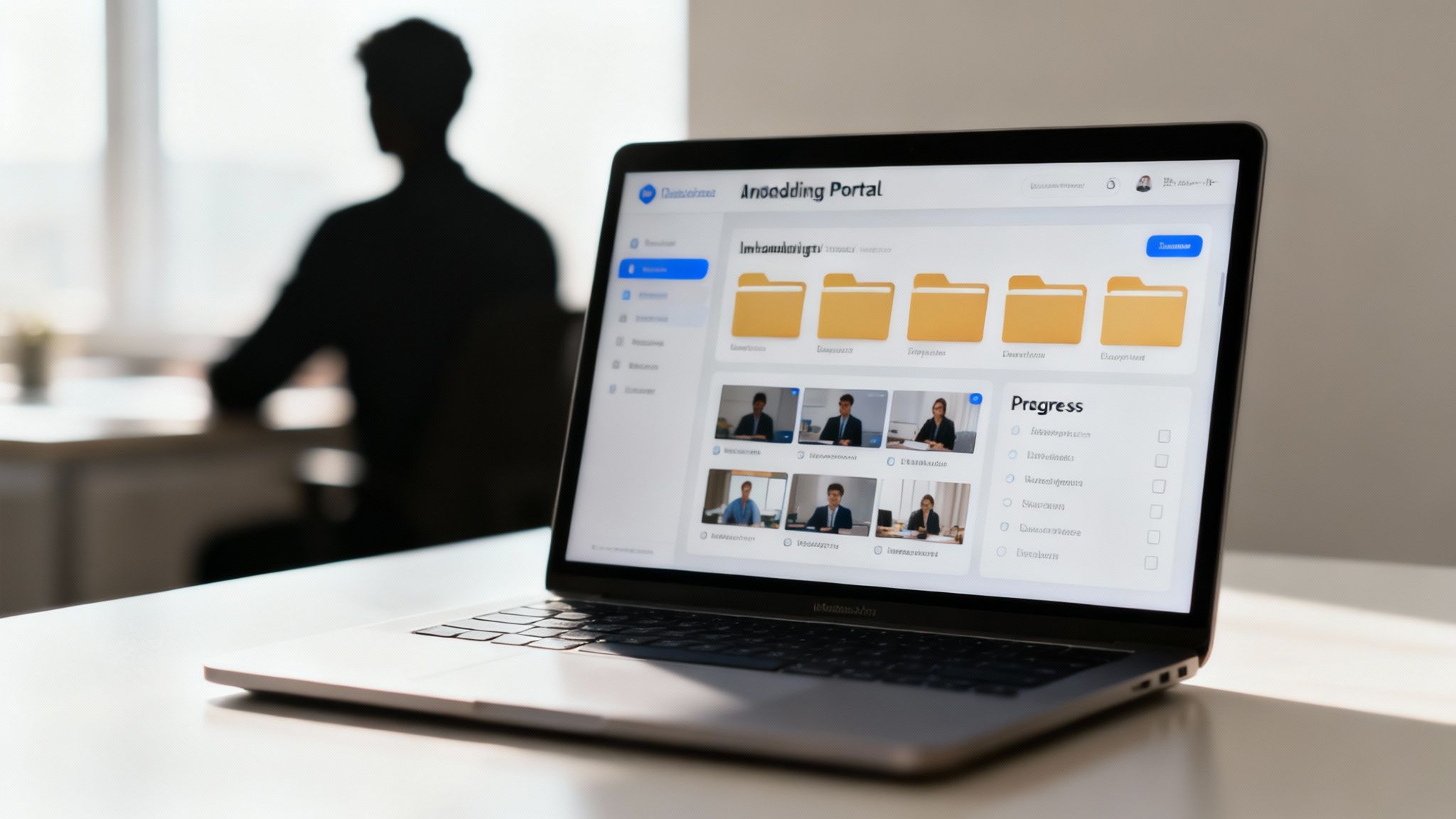
A digital onboarding portal is a centralized, cloud-based platform that houses all essential onboarding materials, documentation, training resources, and company information. It serves as a single source of truth for new remote employees, reducing the anxiety of scattered information and empowering them to learn at their own pace. This structured approach is a cornerstone of effective remote onboarding best practices, ensuring consistency and accessibility from day one.
Instead of bombarding new hires with dozens of emails containing links and attachments, a portal organizes everything logically. It can host welcome videos, digital paperwork, benefits information, team directories, and initial training modules. This creates a professional, streamlined experience that reflects a well-organized company culture.
A digital portal directly addresses the primary challenges of remote onboarding: isolation and information overload. By providing a 24/7 accessible resource, you give new hires the autonomy to find answers independently, which is crucial in a remote setting where a desk-side colleague isn't available for quick questions. Companies like Google and GitLab have perfected this, using their portals to codify their entire operational playbook, making it transparent and easy to navigate for newcomers. This level of organization is a key part of the broader digital transformation in HR that leading companies are embracing.
A remote buddy or mentor system pairs a new hire with a seasoned, non-managerial colleague. This designated "buddy" serves as a friendly, informal guide for the first few weeks or months, helping the newcomer navigate unwritten social rules, understand team dynamics, and answer practical questions they might be hesitant to ask their manager. This personalized human connection is one of the most effective remote onboarding best practices for combating isolation and accelerating cultural integration.
Instead of leaving a new employee to figure things out alone, the buddy provides a dedicated point of contact for everything from "Who do I ask about expense reports?" to "What's the team's general communication style on Slack?". This relationship fosters a sense of psychological safety and belonging right from the start.

The buddy system directly addresses the social and cultural challenges of remote work. It creates an immediate, low-pressure support system that helps new hires feel connected to their team and the broader company culture. Remote-first pioneers like Zapier and Buffer have successfully used this model to ensure new employees feel welcomed and integrated, not just trained. A buddy can share context that isn't in a handbook, like introducing the new hire to key people in other departments or explaining inside jokes, making the virtual environment feel more personal and less intimidating.
While asynchronous resources are vital, structured virtual onboarding sessions provide the synchronous, human connection that remote employees crave. These are organized, facilitated video meetings that cover key topics such as company values, role expectations, specific tool training, and departmental overviews. They ensure every new hire receives the same foundational information directly from key leaders and subject matter experts.
This approach transforms onboarding from a solitary checklist into a shared, cohort-based experience. Instead of just reading about company culture, new hires can hear the CEO share the founding story or participate in a Q&A with a department head. This creates memorable, high-impact moments that build a strong sense of belonging and alignment from the very beginning.
Structured sessions directly combat the risk of inconsistency and isolation in a remote setup. They provide a dedicated forum for real-time questions, clarifications, and discussions that can't be replicated through documentation alone. Leading companies like Salesforce and Microsoft have institutionalized this practice, creating multi-day virtual events that immerse new hires in the company's operational rhythm and culture. This method is a core component of successful remote onboarding best practices because it guarantees a baseline of knowledge and connection for everyone.
A core tenet of successful remote onboarding best practices is ensuring all necessary hardware, software, and system access are fully prepared before an employee's first day. This proactive approach eliminates frustrating technical delays and empowers new hires to feel productive and integrated from their very first login. Instead of spending their initial hours troubleshooting access issues or waiting for a laptop, they can dive directly into planned onboarding activities.
This process involves shipping company-owned equipment like laptops, monitors, and headsets well in advance, alongside pre-provisioning all necessary software licenses and login credentials. It sets a professional tone, demonstrating that the company is organized, values the new hire's time, and is invested in their immediate success.

Nothing kills first-day excitement faster than a login error or a missing piece of equipment. By front-loading the technical setup, you remove a significant source of stress for the new remote employee. They can start their day feeling confident and capable rather than helpless and isolated. Tech giants like Apple and Amazon have perfected this, shipping fully configured devices and ensuring all system access is granted 24 to 48 hours before the start date. This meticulous preparation is a key strategy for powering productivity in a remote work world from the outset.
Establishing clear communication norms means explicitly defining the rules of engagement for your team's digital interactions. This includes specifying which tools to use for which purposes, expected response times, and the etiquette for meetings and asynchronous updates. It’s a foundational remote onboarding best practice that replaces the implicit, in-office communication cues new hires would normally absorb through observation.
Without a documented guide, new remote employees are left to guess whether a question is better for Slack, email, or a scheduled call, leading to anxiety and inefficiency. By creating and sharing a clear communication playbook during onboarding, you set your new hire up for success and empower them to participate confidently in team workflows from their very first day.
This practice directly combats the ambiguity and potential for miscommunication inherent in remote work. When expectations are clear, new hires spend less mental energy worrying about how to communicate and more on the work itself. Remote-first pioneers like GitLab and Basecamp have built their entire operational models on documented, asynchronous-first communication standards. This clarity ensures that everyone, regardless of their timezone or start date, understands how to access information and collaborate effectively.
Documenting these norms also fosters a more inclusive and respectful environment. It helps prevent burnout from constant notifications and respects deep work time by clarifying when an immediate response is, and is not, required. This is a crucial aspect of the broader evolution of digital communication trends in the modern workplace.
A generic, one-size-fits-all onboarding program often fails remote employees by overwhelming them with irrelevant information while neglecting role-critical skills. Role-specific training plans address this by creating customized learning paths tailored to an individual’s department, responsibilities, and experience level. This ensures new hires can focus on acquiring the specific knowledge and skills needed to excel in their unique position from day one.
This targeted approach accelerates a new hire’s time to productivity and builds their confidence quickly. Instead of sitting through generalized company-wide training for a week, a new software engineer can dive into the codebase conventions, while a new salesperson learns the product demo script and CRM protocols. This is a crucial element of effective remote onboarding best practices, making the process more efficient and impactful.
Role-specific plans provide clarity and purpose, directly combatting the ambiguity new remote hires often face. By outlining clear expectations and providing the exact resources needed to meet them, you empower them to contribute meaningfully, faster. Companies like Stripe and HubSpot excel at this, developing distinct onboarding tracks for their engineering, sales, and marketing teams. This ensures that a new team member's first few weeks are spent on high-value, relevant activities, not just general orientation. A critical component of this is providing effective online training; for a deeper dive, consider consulting a practical guide to training employees online.
Structured feedback and check-ins are scheduled, recurring touchpoints designed to give new remote employees clear, consistent guidance during their initial months. This framework moves beyond ad-hoc conversations by establishing a formal cadence for discussing progress, challenges, and goals, typically with dedicated reviews at the 30, 60, and 90-day marks. It ensures managers and new hires are aligned and that potential issues are addressed proactively.
In a remote setting, where organic opportunities for feedback are scarce, this structured approach is a vital component of successful remote onboarding best practices. It prevents new employees from feeling isolated or uncertain about their performance. By creating dedicated time for these conversations, you signal that their development is a priority and provide a safe space for them to ask questions and receive constructive input.
This practice directly combats the ambiguity and lack of visibility that can derail a new remote hire's integration. Without formal check-ins, minor misunderstandings or misalignments can grow into significant problems. Companies like 15Five and Lattice have built their platforms around this principle, demonstrating that continuous, structured feedback drives engagement and performance. This systematic approach helps build psychological safety, making new hires more comfortable voicing concerns and contributing ideas.
Virtual team integration activities are structured yet informal events designed to help remote new hires forge genuine personal connections with their colleagues. These activities move beyond work-related discussions to foster a sense of belonging and integrate newcomers into the company culture, which is vital for combating the isolation inherent in remote work. This practice is a cornerstone of the best remote onboarding strategies, as it directly addresses the social and cultural integration that can be lost without a physical office.
Instead of leaving social connections to chance, proactive companies schedule events like virtual coffee breaks, team-based online games, or themed social hours. These events create low-pressure opportunities for new employees to interact with teammates on a human level, sharing interests and building the rapport that fuels effective collaboration. This intentional approach makes new hires feel welcomed and valued as individuals, not just as contributors.
This practice directly tackles the challenge of building team cohesion and cultural alignment in a distributed workforce. When employees feel a personal connection to their colleagues, they are more engaged, more likely to ask for help, and more invested in the team's collective success. Companies like Mozilla and Slack excel at this, organizing virtual welcome events and new hire lunches that bring together people from different departments. This cross-functional interaction helps new hires understand the broader organization and build a network beyond their immediate team, which is a powerful driver of retention.
Comprehensive documentation and a well-organized knowledge base are the lifeblood of a successful remote organization. This centralized repository acts as the company's collective brain, housing detailed information on processes, procedures, systems, and institutional knowledge. For a new remote hire, it’s an invaluable resource that empowers them to find answers independently, reducing their reliance on colleagues for basic information.
Instead of interrupting a teammate's focus for a question about setting up a development environment or submitting an expense report, the new employee can consult a searchable, trusted source. This practice is a cornerstone of effective remote onboarding best practices because it fosters autonomy and accelerates the learning curve, making new hires feel competent and self-sufficient from their first week.
A robust knowledge base directly combats the remote work challenges of asynchronous communication and information silos. It provides a single source of truth that is accessible 24/7, regardless of time zones. Companies renowned for their remote-first culture, like GitLab, have taken this to an extreme by making their entire company handbook public. This level of transparency not only streamlines onboarding but also reinforces a culture of clarity and trust. It ensures every team member, new or tenured, operates from the same playbook.
Setting clear performance expectations and success metrics from the outset is a critical remote onboarding best practice that demystifies a new hire's role. It involves defining explicit goals, key performance indicators (KPIs), and a 30-60-90 day plan that outlines exactly what success looks like. This roadmap eliminates ambiguity, reduces anxiety, and empowers remote employees to direct their efforts toward meaningful outcomes from their first week.
Without the ambient context of an office, new hires can feel adrift, unsure if their work is meeting expectations. A documented framework for success provides the clarity and direction needed to build confidence and make a tangible impact. It shifts the focus from "Am I doing this right?" to "How can I achieve these clear objectives?"
This practice directly addresses the challenge of aligning remote employees with team and company goals. By codifying expectations, you create a shared understanding of what matters most. Tech giants like Google and Intel have long used the OKR (Objectives and Key Results) framework to ensure every employee, new or tenured, understands how their work contributes to the bigger picture. This level of transparency is essential in a remote environment where over-communication is key to alignment and performance. It provides a non-subjective basis for feedback and one-on-one discussions.
| Approach | 🔄 Implementation complexity | ⚡ Resource requirements | ⭐📊 Expected outcomes | 💡 Ideal use cases | ⭐ Key advantages |
|---|---|---|---|---|---|
| Create a Comprehensive Digital Onboarding Portal | High — cross-team build, integrations, ongoing updates | High — platform, content creation, maintenance, licensing | ⭐⭐⭐⭐ — consistent, scalable onboarding; measurable reduction in time-to-productivity | Large or scaling distributed organizations needing consistency and compliance | Single source of truth; asynchronous learning; reduces HR workload |
| Assign a Remote Buddy or Mentor System | Low — simple pairing and scheduling, needs coordination | Low — person-hours, modest training for buddies | ⭐⭐⭐ — improves engagement, lowers isolation, accelerates cultural integration | Small teams, startups, roles needing cultural/social onboarding | Personalized support; real-time answers; low-cost implementation |
| Conduct Structured Virtual Onboarding Sessions | Medium — requires planning, facilitation and materials | Medium — facilitators, meeting tools, recording/storage | ⭐⭐⭐⭐ — consistent messaging and live Q&A; creates cohort cohesion | Cohort-based hiring, roles needing interactive training or demos | Real-time engagement; immediate Q&A; reusable recordings |
| Prepare Equipment and Technology Before Day One | Medium — logistical coordination across IT and ops | Medium — hardware costs, provisioning, shipping | ⭐⭐⭐⭐ — immediate productivity and positive first impression | Roles requiring secure access or specialized hardware; global hires | Eliminates first-day friction; reduces early IT support load |
| Establish Clear Communication Norms and Tools | Medium — policy design and organizational alignment | Low — documentation, training, tool guidelines | ⭐⭐⭐⭐ — fewer misunderstandings; improved team efficiency | Distributed/asynchronous teams and organizations with multiple channels | Sets expectations; reduces confusion; prevents overload |
| Create Role-Specific Training Plans | Medium–High — curriculum design per role and level | Medium–High — SMEs, tailored materials, tracking systems | ⭐⭐⭐⭐ — faster time-to-productivity; more relevant learning | Specialized technical roles, sales, or complex job functions | Targeted learning; clear milestones; reduces irrelevant training time |
| Implement Structured Feedback and Check-ins | Low — scheduling and simple frameworks required | Low — manager time and feedback tools | ⭐⭐⭐⭐ — early issue detection; improved retention and development | First 90-day support, performance-focused roles | Timely guidance; psychological safety; measurable progress |
| Build Virtual Team Integration Activities | Low — event planning and facilitation | Low — tools, occasional budget for events | ⭐⭐⭐ — improves camaraderie and belonging though optional | Culture-driven teams and roles prone to isolation | Strengthens relationships; improves informal knowledge sharing |
| Provide Comprehensive Documentation and Knowledge Base | High — extensive documentation effort and governance | High — content creation, KM tools, regular updates | ⭐⭐⭐⭐ — reduces repetitive questions; scalable self-service resource | Scaling companies, complex processes, distributed teams | Institutional knowledge; searchable self-help; consistent processes |
| Set Clear Performance Expectations and Success Metrics | Medium — alignment with org strategy and manager training | Low–Medium — goal-setting tools and planning time | ⭐⭐⭐⭐ — clarity on success; objective performance assessment | Roles with measurable outputs (sales, engineering); performance-managed teams | Removes ambiguity; aligns individual goals with company objectives |
Navigating the landscape of remote work requires more than just replicating in-office procedures online. It demands a fundamental shift in how we welcome, integrate, and empower new team members from their very first interaction. As we've explored, a world-class remote onboarding program is not a single event, but a thoughtfully orchestrated journey built on a foundation of clarity, connection, and consistency. The best practices detailed in this guide, from creating a centralized digital onboarding portal to assigning a dedicated remote buddy, are the essential building blocks for that journey.
Mastering these strategies transforms the onboarding experience from a procedural checklist into a powerful cultural induction. It's the difference between a new hire feeling like an isolated contractor and feeling like an integral part of a thriving team from day one. When you prioritize structured virtual sessions, pre-configured technology, and a well-documented knowledge base, you eliminate the friction and uncertainty that can lead to disengagement and early turnover. You are proactively addressing the question, "Do I belong here?" with a resounding "Yes."
If you absorb only a few core principles from these remote onboarding best practices, let them be these:
Feeling overwhelmed? You don't need to implement every single idea overnight. The most effective approach is iterative. Start by identifying your biggest onboarding challenge and select one or two practices from this list to pilot and refine.
Consider these immediate next steps:
Effective remote onboarding is a strategic investment that pays dividends in engagement, productivity, and long-term retention. By thoughtfully implementing these remote onboarding best practices, you are not just streamlining a process; you are building a resilient, connected, and high-performing remote culture where every employee, from their first day forward, feels seen, valued, and equipped to do their best work.
Ready to infuse more personal connection into your onboarding process? Create a memorable first impression with a digital group card from the whole team. Firacard makes it easy for everyone to sign a virtual welcome card with messages, photos, and GIFs, instantly making your new hire feel like part of the community. Start building a better welcome with Firacard today.


In today's dynamic workplace, particularly with teams spread across the United Kingdom, United States, Australia, Canada, India and Africa, tr
Wishing your manager a happy birthday can feel like navigating a delicate social tightrope. You want to be genuine and appreciative without soundin
Planning a baby shower involves many details, and the right visuals are essential for tying everything together, especially when celebrating with a