
50th Birthday Wishes: 8 Meaningful Templates
Finding the right words for a 50th birthday can feel oddly difficult. You want to honour a major milestone without making the message sound like a


Dec 2, 2025 | 18 Min Read
An online leaving card is simply the modern way to say farewell—a digital space where everyone can share messages, photos, and even videos for a departing colleague. It's the perfect answer for hybrid and remote teams, making sure nobody gets left out of the goodbye send-off.
Saying goodbye to a colleague is a big deal, but let's be honest—the classic paper card just doesn't cut it anymore. It gets passed around, runs out of space halfway through the department, and totally misses anyone working from home. This is where a modern online leaving card completely changes the game.
Digital cards are all about convenience and making sure everyone's included, something paper just can't offer. Instead of hunting people down for a signature, you just share a link. That’s it. Pop it in an email or a team chat, and suddenly everyone, no matter where they are, can add their well-wishes. It turns a logistical nightmare into something genuinely collaborative and fun.
The real magic of an online card is getting to be way more creative. People aren't stuck with a tiny space to scribble a note; they can add so much more personality.
This move to digital is part of a bigger picture of how online stationery is thriving in our paperless society today. By going digital, you’re not just creating a card; you're building a dynamic, lasting keepsake that won't get tucked away in a drawer and forgotten.
An online card isn't just a replacement for paper; it's an upgrade. It captures a richer, more complete story of a person's time with the team, preserving memories in a format they can revisit for years.
Services like Firacard are making this easier than ever. You can create a memorable ecard by firacard for any occasion, whether it's a touching farewell card, a fun birthday ecard, or a festive christmas ecard. The whole process is simple and makes a real impact. If you're curious, you can learn more about the benefits of using group greeting cards in the workplace in our detailed guide.
Crafting an online leaving card that really hits the mark starts with making a space that feels personal from the get-go. This isn't just about picking a random template; it's about creating a digital vibe that matches your departing colleague's personality and sets a warm tone for everyone signing. The right platform makes this a breeze for you and way more meaningful for them.
Using a service like an ecard by Firacard gives you a fantastic head start with tons of designs. Just think about your coworker. Are they all about sharp, minimalist style, or are they more of a vibrant, fun-loving person? Pick a design that feels like them. From there, you can slap a great photo on the cover—maybe one of them, or a fun team picture—and add a punchy title like "Bon Voyage, Alex!" or "Wishing You the Best on Your Next Adventure!"
The first thing contributors will read is your intro message, so make it count. You don't need to write an essay, just something brief and heartfelt. A simple note like, "Let's fill this card with amazing memories and well-wishes for Sarah as she starts her exciting new chapter!" gives everyone a clear idea of what to share. This is also the perfect moment to get the logistics sorted.
Setting a firm deadline is a non-negotiable. I've found that a 3-5 day window is the sweet spot. It gives people enough time to think of something thoughtful without letting the card float around in limbo for weeks. Plus, it ensures that even folks in different time zones have a chance to chip in before you send it off.
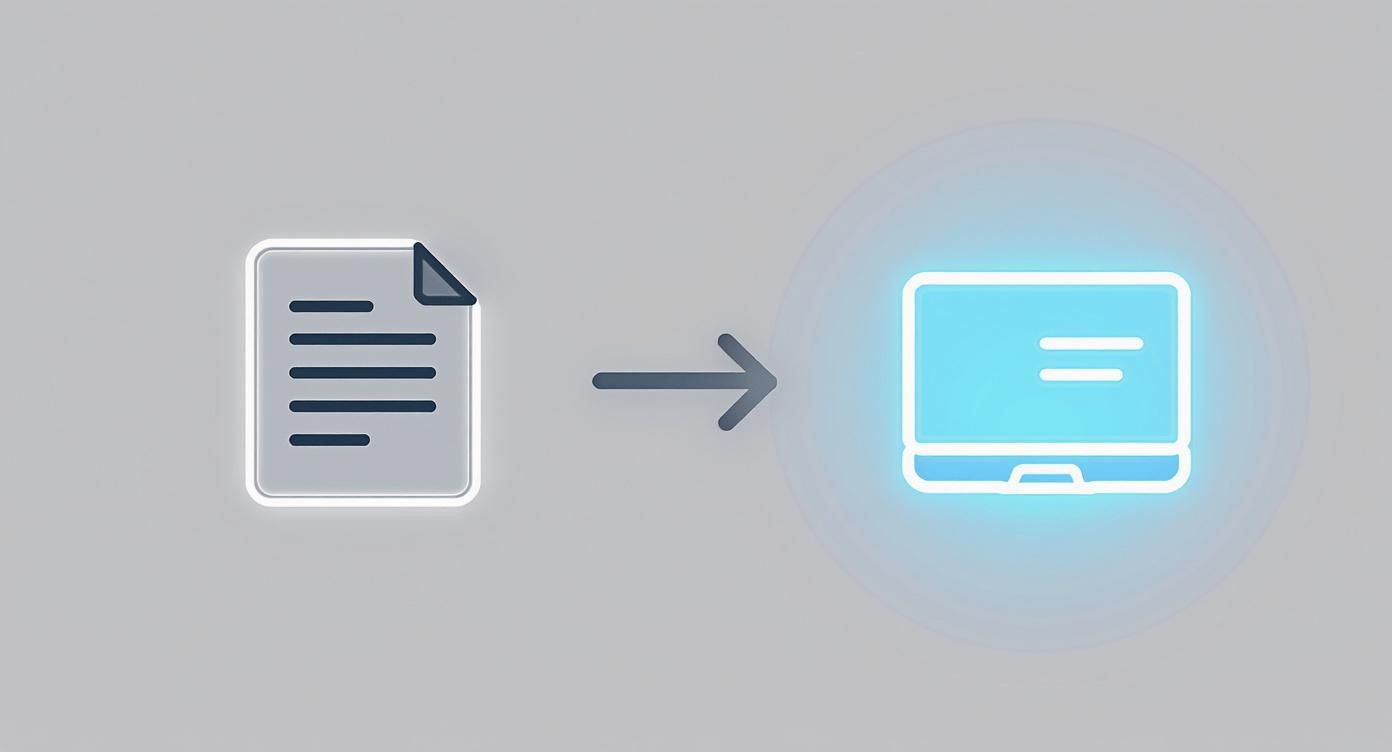
This simple visual really drives home how we've moved from passing around a physical card to creating a dynamic, interactive keepsake that lasts forever.
Finally, don't forget about privacy. It's something you should think about right from the start. Most online card platforms let you control who can see and add to the card. You’ll need to decide: is it open to anyone with the link, or do you want to restrict access to specific email addresses?
Taking a second to lock down these settings helps keep the whole thing an intimate and secure moment for the team. It creates a safe space where people can be genuine, which is what a good send-off is all about. Whether it's for a farewell, a birthday ecard, or a christmas ecard, these initial design choices shape the whole experience. If you need more inspiration, checking out different farewell ecard examples can be a huge help.
An online leaving card is just a blank canvas until the team fills it up. The real magic comes from all the different voices, memories, and well-wishes packed inside. Once you've set up the perfect digital space, your next job is to get everyone to add their personal touch. This is where a great invitation makes all the difference.
Your first message should be clear, warm, and straight to the point. Tell everyone what it’s for—celebrating your departing colleague—and drop the direct link to the card. It's also crucial to set a firm deadline for contributions. This simple step creates a bit of gentle urgency and helps you avoid that last-minute scramble to get messages in. It also gives people in different departments or time zones a fair shot at participating.
Your goal here is to inspire people, not just inform them. You want colleagues digging up a funny memory or a heartfelt wish, not just dropping a generic "good luck."
A great invitation sets the right tone and gives a little nudge without being too bossy. For instance, instead of just saying, "Please sign Alex's card," try something with a bit more personality: "Let's send Alex off with a collection of our favorite memories! Share a story, a photo, or just a few words to wish him well on his next adventure." That small tweak encourages people to think more personally.
A well-crafted invitation is your best tool for getting high-quality contributions. Here’s a simple checklist to make sure your message hits all the right notes.
| Checklist Item | Why It's Important | Example Wording |
|---|---|---|
| Clear Subject Line | Grabs attention in a busy inbox. | "Shhh! Let's sign Sarah's farewell card!" |
| State the Purpose | Immediately lets people know what the email is about. | "We're putting together a group card to celebrate Sarah as she moves on to her next chapter." |
| Direct Link to the Card | Makes it incredibly easy for people to contribute right away. | "You can add your message, photos, or GIFs right here: [Link to Card]" |
| Suggest Contribution Ideas | Helps people overcome writer's block. | "Feel free to share a favorite memory, an inside joke, or just a simple good luck wish!" |
| Set a Clear Deadline | Creates urgency and ensures the card is ready on time. | "Please add your message by 4 PM this Thursday, June 20th." |
| A Warm Closing | Ends the invitation on a positive, collaborative note. | "Let's make this a send-off to remember! Thanks, everyone." |
Nailing these points in your invitation message is the secret to transforming an empty board into a meaningful keepsake.
The secret to high participation isn't just sending a link; it's communicating the 'why.' When people understand that their unique contribution adds to a collective, meaningful gift, they are far more likely to take the time to share something special.
Don't forget to think about the best way to reach everyone. Email is always a safe bet, but a quick message in a team Slack or Microsoft Teams channel often gets seen faster. For a big company with people spread out everywhere, you might need to use a couple of different channels to make sure no one misses out.
Life gets busy, and even with the best intentions, people forget. Trust me, a single, friendly reminder is often all it takes to double your contributions. The sweet spot for sending this is about 24 hours before the deadline.
Your follow-up doesn't need to be pushy. A quick and cheerful message like, "Hey team, just a friendly reminder to add your message to Sarah's farewell card before tomorrow!" works wonders. It nudges anyone who meant to sign but got sidetracked, ensuring the final card is as full and vibrant as it can be.
For a deeper dive into getting everyone on board, check out our guide on how to ensure everyone signs the group greeting card. A little thought in the collection process can turn an empty card into a rich tapestry of shared memories—a farewell gift that truly means something.
We've all been there. Staring at that blinking cursor on a blank online leaving card, feeling the pressure to write something brilliant. It's surprisingly tough to move beyond the classic "Good luck!" or "All the best!" and write something your departing colleague will actually remember.
The secret? The best farewell messages aren't long or overly poetic. They're a simple mix of personal connection and genuine well-wishes, reminding the person of the positive mark they left on you and the team.
To get past the writer's block, it helps to have a simple framework. You don't need to hit all four of these points in every message, but they're a great place to start.
This little structure can help you focus on what really matters—celebrating your colleague.
Sometimes you just need a spark to get the words flowing. Instead of trying to write the perfect message from scratch, try using these thought-starters.
A truly memorable farewell note doesn't just say goodbye; it reflects a moment in time. By sharing a specific memory or a lesson learned, you give your colleague a small piece of their own positive legacy to take with them.
Still searching for the perfect words? Don't sweat it. For more examples, check out our guide on 40 clever and heartfelt farewell card message ideas. It's packed with inspiration to help you find the right tone, whether you're writing for your work bestie or a respected leader. The most important thing is to write from the heart—sincerity always shines through.
Words are powerful, for sure. But what turns a nice online leaving card into a vibrant scrapbook of memories? Photos and videos.
Visuals—photos, short video clips, even the perfect GIF—capture the energy, inside jokes, and real connections that messages alone can't. They transform a simple digital page into something your departing colleague will actually want to look back on for years. This is your chance to stop telling them about the fun times and start showing them.

Don't worry, you don't need to be a Hollywood director to pull this off. Your smartphone and a little bit of creativity are all it takes to make a huge impact.
A few ideas to get you started:
If you want to get a little fancier, you can even find guides on how to animate images with AI to bring your still photos to life.
Okay, so you have some ideas. Now you need to actually get the files from your team. Keep it simple. Create a shared folder in Google Drive or Dropbox where everyone can dump their photos and videos.
When you send out the invitation to sign the ecard, just pop in a clear request for photos and videos along with the link to your shared folder. Easy.
I've found that the most impactful videos and photos aren't always the most polished. A shaky, candid video filled with genuine laughter often hits harder than a perfectly produced clip. Don't overthink it—authenticity is what matters here.
Once the files start rolling in, just do a quick quality check. Make sure photos aren't super blurry and that videos have decent audio. Most modern ecard platforms, including a dedicated ecard by Firacard, will automatically compress everything for you. Still, it's always best to start with the highest-resolution files you can get.
If you want to learn more about making this part of the process even smoother, we have a whole guide on the fastest way to collect group videos. Whether it's for a farewell, a birthday ecard, or a christmas ecard, these visual touches will absolutely make all the difference.
Okay, the deadline for contributions has passed. This is where you switch hats from organizer to curator. The final touches are what really transform a collection of messages into a memorable send-off.

Before you hit send, give everything a quick once-over. A quick proofread for any glaring typos or weird formatting issues can make a big difference. Most platforms, like a dedicated ecard by Firacard, let the organizer make small edits for a clean, polished look.
You can also shuffle the messages around. Think about creating a nice flow—maybe start with some warm welcomes, drop the funny inside jokes in the middle, and end with heartfelt wishes for the future.
How you share the card is almost as important as what's inside it. There's no single right way, so pick what feels best for your team.
Whichever route you take, always make sure to send the direct link to them afterward. This gives them a chance to read through everything at their own pace and really soak it all in.
One of the best things about a digital card is that it doesn't just get tucked away in a drawer. Platforms like Firacard often let the recipient export the whole board as a high-quality PDF. It turns a fleeting moment into a keepsake they can look back on for years.
Whether you're organizing a fond farewell, a fun birthday ecard, or a festive christmas ecard, taking a few minutes on these final steps ensures your gesture leaves a lasting impression. You can always explore more ideas for farewell cards to find the perfect style for any occasion.
When you're pulling together a group farewell card, a few questions always seem to pop up. Here are some quick, practical answers to help you navigate the process like a pro.
The sweet spot is usually around 3-5 business days. This gives everyone enough time to craft a thoughtful message—even folks in different time zones or departments—without letting the card hang around for too long and lose momentum.
My go-to strategy? Send the initial invite, then follow up with a single friendly reminder about 24 hours before you plan to send it. That little nudge is almost always enough to get a great collection of well-wishes from the whole team.
Yes, as the creator of the card, you have the final say. This is super helpful for fixing small typos or adjusting formatting to make sure everything looks clean and polished. It also means you can remove any comments that might feel a bit off-key.
But a word of advice: if a message needs more than a quick typo fix, it’s always best to check with the person who wrote it. You want to preserve the authenticity of their words to make the final gift feel genuinely heartfelt.
This really comes down to how your team is saying goodbye. If you're having a virtual send-off, sharing your screen to reveal the card live is a fantastic move. It creates a shared moment and lets everyone see their reaction, which is always priceless.
No matter what, always follow up by sending them the direct link in a private message. This gives them a chance to read through every message at their own pace and really soak in all the memories and kind words.
Ready to create a farewell card that truly resonates? With Firacard, you can easily design a beautiful and collaborative ecard for any occasion. Whether it's a farewell ecard, a cheerful birthday ecard, or a festive christmas ecard, our platform makes it simple to gather messages, photos, and videos into one unforgettable keepsake. Create your perfect ecard by Firacard today.


Finding the right words for a 50th birthday can feel oddly difficult. You want to honour a major milestone without making the message sound like a
You've just heard that someone you care about has lost a parent. The funeral is approaching, friends are scattered across cities, and nobody w
You can have hundreds of friendly contacts and still feel unsure who would answer when life gets messy, so what makes a friendship good, and how ca



