
50th Birthday Wishes: 8 Meaningful Templates
Finding the right words for a 50th birthday can feel oddly difficult. You want to honour a major milestone without making the message sound like a


Nov 22, 2025 | 28 Min Read
The shift to remote and hybrid work has unlocked unprecedented flexibility, but it has also introduced a significant challenge: fostering genuine team connection when colleagues are separated by screens. The spontaneous coffee break conversations, shared lunches, and hallway chats that once built natural camaraderie have been replaced by scheduled video calls and instant messages. This distance can lead to feelings of isolation, communication silos, and a diluted sense of belonging, ultimately impacting morale, collaboration, and productivity.
Simply scheduling another virtual happy hour isn't the answer. Meaningful connection requires more than just being in the same video call; it requires shared experiences, collaborative problem-solving, and moments of authentic interaction. Effective virtual team building activities for work are designed to intentionally create these moments, breaking down digital barriers and reinforcing the human element of a team. They are a strategic investment in your company's culture and the well-being of its most valuable asset: its people.
This guide moves beyond generic suggestions to provide a comprehensive, actionable playbook. You will find a curated list of 10 engaging and impactful virtual activities, each broken down with a clear purpose and step-by-step instructions for facilitation. From high-energy escape rooms to creative workshops, you'll discover practical ways to boost engagement and strengthen bonds. We'll also explore how digital tools, like using a collaborative platform such as Firacard for post-event thank yous or to send group farewell cards, can enhance and extend the positive impact of these initiatives. Consider this your go-to resource for transforming your remote team from a collection of individuals into a cohesive and connected unit.
Virtual escape rooms are interactive, themed online adventures where teams collaborate to solve puzzles and decipher clues against a ticking clock. This digital adaptation of the popular in-person activity places team members in a shared virtual environment, requiring them to pool their collective brainpower and communication skills to achieve a common goal: "escaping" the room. It stands out as one of the most engaging virtual team building activities for work because it simulates a high-stakes project environment in a fun, low-risk setting.
Participants join a video conference where a live host or digital interface guides them through a narrative-driven scenario. Using a combination of shared screens, interactive dashboards, and communication, the team navigates the virtual space, uncovers clues, and solves a series of interconnected puzzles.
For hybrid teams, book a conference room for in-office employees so they can participate as a single unit on a large screen, while remote employees join individually. This maintains a sense of shared space.
Virtual trivia competitions are live, hosted online quizzes where teams or individuals race to answer questions spanning various categories. This classic pub quiz format is easily adapted for remote teams, creating a dynamic and competitive atmosphere that encourages friendly rivalry and shared fun. It is a highly effective entry among virtual team building activities for work because it is universally understood, requires minimal setup, and can be easily customized to reflect company culture and inside jokes.
Participants join a video call where a host presents questions via screen sharing or a dedicated trivia platform. Teams often use private breakout rooms to discuss their answers before submitting them. A live leaderboard keeps the energy high and tracks progress in real-time.
For hybrid teams, have in-office participants gather in a conference room to form one or more "in-person" teams, while remote employees form their own virtual teams. This creates a fun "office vs. remote" dynamic.
Online cooking or mixology classes bring the team together in a shared, sensory experience from the comfort of their own kitchens. Led by a professional chef or bartender via video conference, these sessions guide participants through creating a delicious meal or craft cocktail. This activity is one of the most popular virtual team building activities for work because it encourages informal conversation and creativity, allowing colleagues to bond over a tangible, rewarding outcome outside of typical work tasks.

Participants receive an ingredient list or a pre-packaged kit before the event. During the live session, they follow the instructor's step-by-step guidance, ask questions, and interact with teammates as they chop, mix, and cook. The session culminates in everyone enjoying their homemade creation together, fostering a strong sense of shared accomplishment.
For hybrid teams, set up a large screen and cooking station in a communal office kitchen. In-office employees can participate together while remote team members join from their homes. This creates a lively, blended culinary event. Beyond virtual cooking classes, you can explore other engaging team building activities with food to suit different preferences.
Virtual scavenger hunts are fast-paced, creative online challenges where team members search their homes or digital spaces to find items based on specific clues or prompts. Participants share their findings via photos or video, turning a simple search into an interactive and often hilarious competition. This activity is one of the most accessible virtual team building activities for work because it requires minimal setup, encourages spontaneity, and offers a unique glimpse into colleagues' personalities.
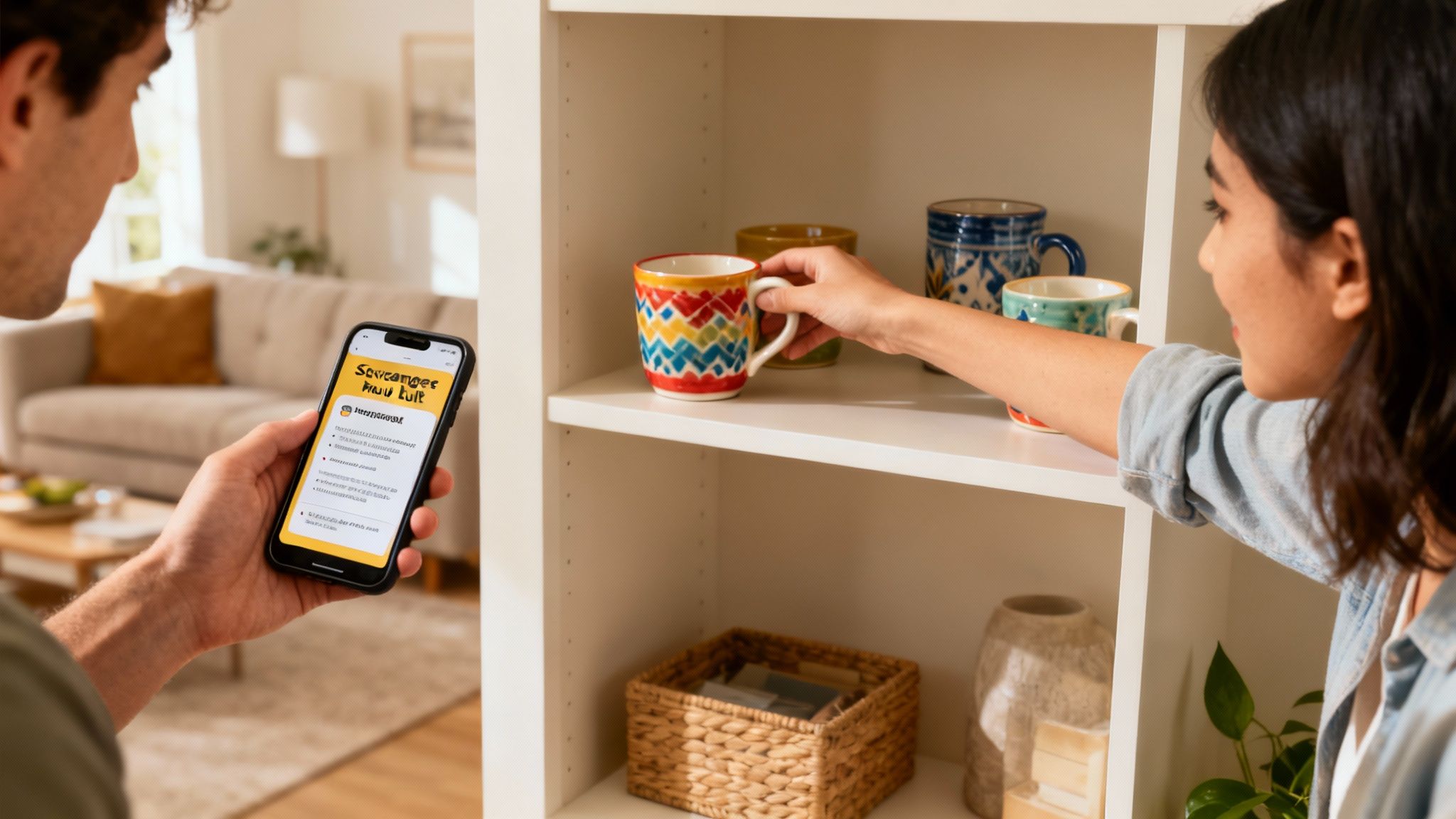
A facilitator shares a series of prompts, and participants have a set time to find the item, take a picture with it, and present it to the group. Prompts can range from "something blue" to "your favorite coffee mug" or "an object that brings you joy." This creates an energetic and engaging atmosphere that breaks the ice effectively.
For hybrid teams, create prompts that work in both home and office environments. For instance, instead of "your favorite pet," ask for "a picture of an animal." This ensures everyone can participate equally, a key principle in effective hybrid team building activities. In-office staff can work in pairs to find items.
Virtual wellness and fitness challenges are organized online activities designed to promote physical and mental well-being among team members. These initiatives can range from guided yoga or meditation sessions to multi-week step competitions, all tracked on shared platforms. This approach is one of the most impactful virtual team building activities for work because it demonstrates a company's commitment to employee health, reduces stress, and builds camaraderie through shared, healthy goals.
Participants join live guided sessions via video conference or track their personal progress in a shared app or spreadsheet over a set period. The focus is on participation and collective well-being rather than intense competition. Companies like Google and Salesforce have successfully used these programs to combat burnout and foster a supportive remote culture.
For hybrid teams, stream live wellness sessions into a conference room so in-office employees can participate together. They can follow along on a large screen while remote colleagues join from their individual devices. This creates a unified experience and reinforces the shared goal of well-being.
Virtual improv and comedy workshops are interactive, professionally-led sessions where teams engage in exercises designed to foster creativity, quick thinking, and spontaneous collaboration. Far from a high-pressure performance, these workshops use fun, low-stakes games to break down communication barriers and build psychological safety. This method is one of the most effective virtual team building activities for work for teams looking to boost creative confidence and enhance interpersonal dynamics in a relaxed, humor-filled setting.
Participants join a video conference led by an experienced improv or comedy coach. The facilitator guides the group through a series of engaging exercises, from simple word-association games to collaborative storytelling. The focus isn't on being funny, but on listening, adapting, and supporting teammates' ideas, which naturally leads to laughter and connection.
For hybrid teams, have in-office staff gather in a conference room with a high-quality camera and microphone setup. Ensure the camera is positioned to capture the entire group, allowing remote employees to see and interact with everyone clearly. Project remote participants onto a large screen to create a more unified group feeling.
Virtual art and craft classes offer a hands-on, creative outlet for teams to connect and unwind together. These guided sessions, led by a live instructor, focus on activities like painting, pottery, or drawing, allowing team members to explore their artistic side in a relaxed, non-judgmental environment. This is one of the most refreshing virtual team building activities for work because it shifts the focus from analytical tasks to creative expression, helping to reduce stress and foster a different kind of collaborative energy.

Participants join a video call where a host guides them step-by-step through a specific art project. Companies often send pre-packaged material kits directly to each employee's home, ensuring everyone has the necessary supplies. The goal is not to create a masterpiece but to enjoy the shared creative process and casual conversation.
For hybrid teams, set up a dedicated "art station" in a conference room for in-office employees to participate together. Position a camera so they can interact seamlessly with remote colleagues, making everyone feel like they are in the same creative space.
Online murder mystery dinners are immersive, narrative-driven events where participants assume character roles to solve a fictitious crime. This activity combines storytelling, role-playing, and collaborative problem-solving, as team members interact, share clues, and piece together the puzzle. It is one of the most memorable virtual team building activities for work because it encourages creative thinking and allows colleagues to interact in a completely new and dynamic context outside of their typical work roles.
Participants join a video call where a host sets the scene and guides the unfolding drama. Each person receives a unique character brief with a backstory, secrets, and objectives. Throughout the event, they interact in character, gather information, and work towards identifying the culprit before the grand reveal.
For a hybrid setup, have in-office participants gather in a themed conference room. Remote employees join via a large screen, which can be treated as a "portal" where their characters are videoing in from another location. This integrates both groups into the same narrative seamlessly.
A virtual talent show or open mic event is an online showcase where team members can share their personal passions and hidden skills with their colleagues. From music and comedy to magic tricks and poetry, this activity creates a stage for employees to express their individuality beyond their professional roles. It is one of the most personal virtual team building activities for work because it fosters a deeper appreciation for the diverse and unique talents that make up the team.
Participants join a company-wide video call where a host introduces each performer. Team members then perform live or play a pre-recorded video of their talent. This format encourages a supportive and celebratory atmosphere, breaking down workplace hierarchies and building authentic connections as colleagues see each other in a new light.
For hybrid teams, set up a large screen and quality sound system in a conference room so in-office employees can watch together, creating a lively "live studio audience" feel. Remote employees can perform from home, while in-person staff can perform live from the office.
Virtual book clubs and learning discussions are structured forums where team members read the same book or article and meet to discuss its themes and real-world applications. This activity transforms a solitary act into a shared intellectual journey, fostering deeper connections through meaningful conversation. It’s one of the most effective virtual team building activities for work because it promotes continuous learning and creates a space for colleagues to explore diverse perspectives on topics relevant to their professional and personal growth.
Team members agree on a book, article, or even a podcast series and meet on a recurring schedule via video conference to share their thoughts. A facilitator, often rotating among members, guides the conversation with prepared questions to ensure the discussion remains focused, inclusive, and insightful. This shared learning experience breaks down hierarchical barriers and encourages open dialogue.
For hybrid teams, stream the virtual meeting onto a large screen in a conference room for in-office employees. This creates a unified experience, allowing in-person and remote participants to see and interact with each other seamlessly. Encourage in-office members to join from their laptops to use chat features.
| Activity | Implementation complexity | Resource requirements | Expected outcomes | Ideal use cases | Key advantages |
|---|---|---|---|---|---|
| Virtual Escape Rooms | Medium–High — needs setup and facilitation | Stable internet, video platform, paid provider or custom build, facilitator | Strong teamwork, problem-solving, real-time communication | Small–medium remote/hybrid teams, focused bonding sessions (45–60 min) | Highly engaging and immersive; forces collaboration |
| Virtual Trivia Competitions | Low — simple to organize and run | Quiz platform (Kahoot/Sporcle), host, question bank, leaderboard | Quick engagement, friendly competition, morale boost | Large groups, quick icebreakers or all-hands breaks (20–30 min) | Scalable, low barrier to entry, customizable content |
| Online Cooking / Mixology Classes | Medium — coordination of ingredients and instructor | Live instructor, ingredient kits or lists, participant kitchens, video setup | Relaxation, shared tangible results, social connection | Small–medium groups, celebratory events or socials (45–90 min) | Tangible takeaway, enjoyable and inclusive experience |
| Virtual Scavenger Hunts | Low–Medium — simple logistics, clear instructions needed | Clue lists/forms, smartphone/camera, host or scoring sheet | Creative engagement, quick energizer, humor and bonding | Short energizers, large groups, icebreakers (15–30 min) | Low cost, accessible to varied abilities, fast-paced fun |
| Virtual Wellness & Fitness Challenges | Medium — planning and sustained coordination | Instructors or recorded content, tracking platforms/wearables, scheduling | Improved wellbeing, habit formation, reduced stress | Multi-week wellness programs, optional company initiatives | Promotes health and morale; flexible participation |
| Virtual Improv & Comedy Workshops | Medium — requires skilled facilitator | Professional improv coach, video platform, comfortable environment | Increased confidence, creativity, improved listening | Small–medium teams, creativity-building sessions (45–60 min) | Builds spontaneity and team rapport; memorable |
| Virtual Art & Craft Classes | Low–Medium — prep of supplies and instructor | Supply lists or kits, instructor, video platform | Creative expression, stress relief, tangible artwork | Relaxed team sessions, creative bonding (30–60 min) | Therapeutic and inclusive; projects to share afterward |
| Online Murder Mystery Dinners | High — complex scripting and facilitation | Scripts/roles, facilitator, longer time slot, optional meal delivery | Immersive engagement, critical thinking, cross-team interaction | Evening events, retreats, small–medium teams (90–120 min) | Deeply immersive and memorable group experience |
| Virtual Talent Shows / Open Mic | Low — coordination and hosting required | Sign-up system, host/MC, recording tools, basic AV | Personal connection, confidence boost, cultural sharing | Company celebrations, culture-building events (60–120 min) | Celebrates individual strengths; low cost to run |
| Virtual Book Clubs & Learning Discussions | Medium — ongoing facilitation and scheduling | Reading materials, facilitator/guides, meeting cadence, platform | Shared knowledge, deeper conversations, professional growth | Ongoing L&D, small groups, biweekly or monthly meetings | Encourages continuous learning; inclusive for introverts |
We've explored a diverse landscape of virtual team building activities for work, from the high-energy thrill of a Virtual Escape Room to the collaborative creativity of a Virtual Art Class. The journey through these ten distinct options reveals a powerful truth: building a strong, connected remote team isn't the result of a single, grand event. Instead, it’s forged through consistent, intentional efforts that prioritize human connection above all else. The most successful virtual cultures are built one small, meaningful interaction at a time.
The core objective behind every activity, whether it's a competitive trivia night or a reflective book club discussion, is to open channels for authentic communication, build psychological safety, and cultivate a shared sense of identity. When colleagues solve a puzzle together, laugh at an improv prompt, or share a handcrafted cocktail over video call, they are doing more than just participating in an event. They are building the relational trust that is essential for effective collaboration, innovation, and mutual support in a distributed work environment.
The sheer number of options can feel overwhelming, but the path forward is straightforward. Don't try to implement everything at once. The key is to start small and align your choices with your team's unique personality and existing dynamics.
Key Insight: The success of virtual team building lies not in the complexity of the activity, but in the consistency of the effort. Regular, small-scale interactions create a continuous thread of connection that one-off events cannot replicate.
While structured activities are a fantastic catalyst for connection, the spirit of team building must extend into the daily fabric of your team's culture. Celebrating wins, acknowledging milestones, and showing appreciation are the foundational pillars that support a thriving virtual workplace. This is where the real work of culture-building happens. Recognizing a team member's work anniversary, celebrating a project launch, or sending well wishes for a birthday are powerful acts of inclusion.
For a wider array of engaging options, consider reviewing various innovative corporate event entertainment ideas to discover fresh ways to captivate your remote staff. Integrating these moments of recognition ensures that team members feel seen, valued, and connected to their colleagues on a personal level. It reinforces the message that they are more than just a name on a screen; they are a vital part of a supportive community. This ongoing practice of appreciation transforms a collection of remote employees into a truly cohesive and motivated team.
Ready to make recognition a seamless part of your team's culture? Firacard makes it easy to create and share beautiful, collaborative group cards for any occasion. Celebrate work anniversaries, welcome new hires, or send a thoughtful farewell card with a platform designed to bring your remote team closer, one heartfelt message at a time. Visit Firacard to start building stronger connections today.


Finding the right words for a 50th birthday can feel oddly difficult. You want to honour a major milestone without making the message sound like a
You've just heard that someone you care about has lost a parent. The funeral is approaching, friends are scattered across cities, and nobody w
You can have hundreds of friendly contacts and still feel unsure who would answer when life gets messy, so what makes a friendship good, and how ca



