50th Birthday Wishes: 8 Meaningful Templates
Finding the right words for a 50th birthday can feel oddly difficult. You want to honour a major milestone without making the message sound like a


Sep 15, 2026 | 14 Min Read

Priya, an operations lead in Manchester, has two days to organise a leaving card for a colleague moving to Singapore. Half the team works remotely from Lisbon, Toronto, and Sydney. The office card is locked in a desk no one can reach, the nearby gift shop closes before the colleague's final shift, and Slack is filling with half-finished goodbyes. By the end of the day, several signatures are missing, messages are scattered across private chats, and the recipient risks receiving a card carrying only three names.
That situation is why a group greeting card virtual should be treated as a lightweight HR ritual, not a novelty. The right workflow gives everyone a fair chance to contribute, protects the organiser from last-minute chasing, and creates one finished message that represents the people behind it. This guide explains how to choose, organise, moderate, schedule, and deliver an online group card for a workplace, school, nonprofit, or personal occasion.
Priya's first instinct is to ask someone in the Manchester office to buy another paper card. That plan fails immediately. The colleague's final working day overlaps with different time zones, two contributors are travelling, and nobody can confirm when the card will be available for signing.
A Slack thread appears instead. One person writes a sentence, another promises to add a photo later, and someone sends a voice note that gets buried beneath project updates. The team is communicating, but it isn't creating a shared keepsake. When the deadline arrives, the card has three complete messages and a collection of disconnected fragments.
A virtual leaving card changes the operating model. Priya can create one online leaving card, share one contribution link, and give everyone a written cutoff. The colleague in Sydney can add a message after work, while the Toronto contributor can sign before starting the day. Nobody has to wait for the physical card to move from desk to desk.
The important improvement isn't just speed. It's visibility. A single group online card lets the organiser see who has contributed, identify missing voices, send a reminder, and review the finished card before delivery. The recipient receives one coherent farewell rather than a handful of private messages.
Practical rule: If the occasion matters to the whole group, collect the group's words in one place.
This approach also works for birthdays, promotions, retirements, new starters, thank-you moments, and difficult departures. A practical guide to the benefits of virtual group cards explains why the format suits distributed teams, but the operational lesson is simple: create a clear owner, a clear deadline, and a single destination for every contribution.
The rest of the process exists to prevent the problems Priya faced. You'll want to avoid assembling signatures at the last minute, chasing contributors across time zones, and sending a card that doesn't reflect the people who wanted to take part.
A group greeting card virtual is one shared online card that multiple people can personalise. Contributors usually open a browser link and add their own message, photo, GIF, or short video to a single canvas. The organiser then reviews the entries and sends the completed card to the recipient.
Think of a paper leaving card placed at a reception desk. Each colleague writes in the available space, signs their name, and passes it to the next person. The virtual version keeps the shared-card idea but removes the desk, the paper, and the need for everyone to be present at the same time.
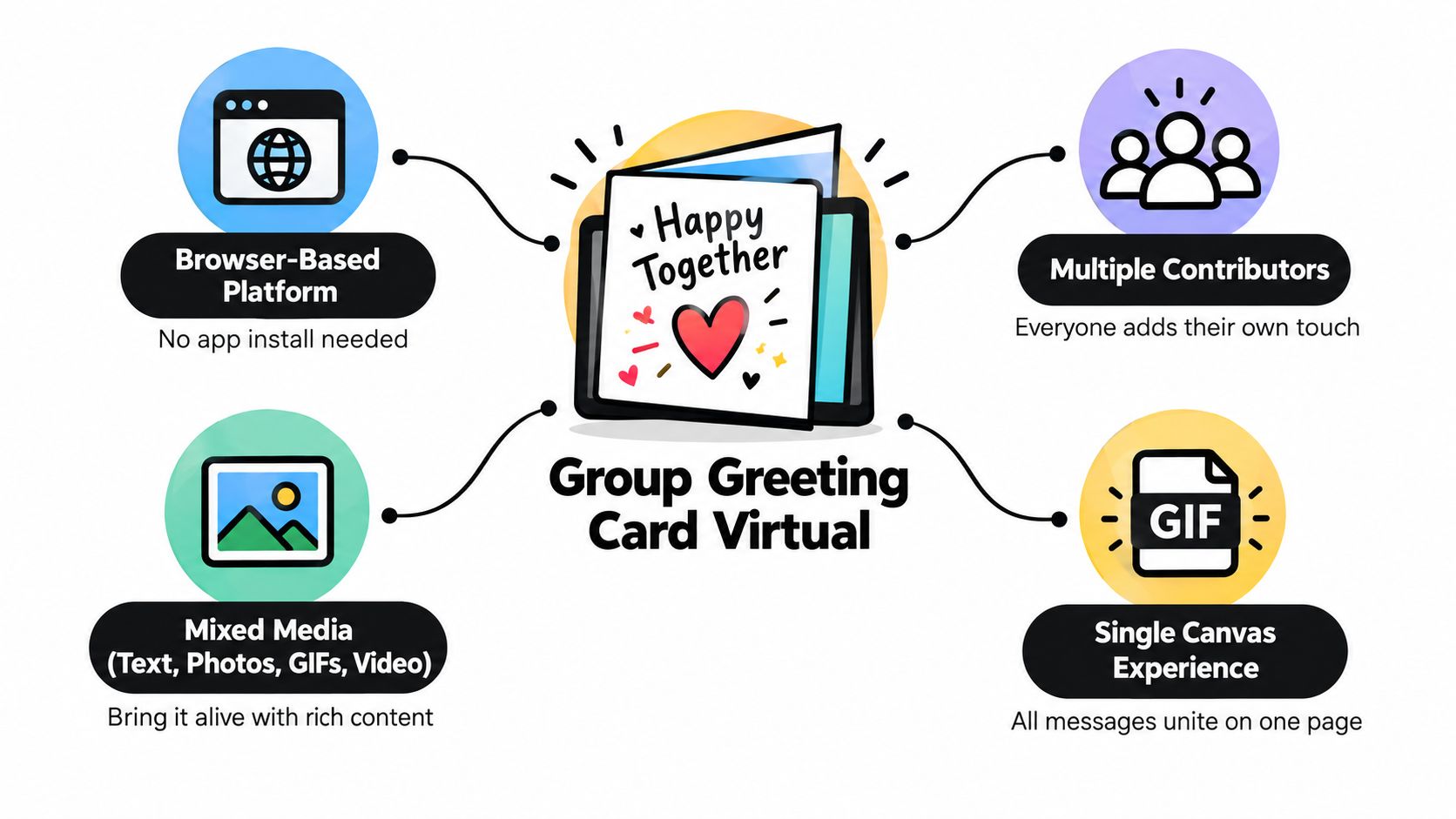
Three roles make the workflow easier to understand:
The recipient usually receives a single email containing a link to view the completed card. Depending on the platform, the creator may also download a PDF, video, or other keepsake for an archive or personal collection.
A group greeting card isn't a mass marketing e-card blast. It's created for a named person or occasion, not for promoting a product to a mailing list. Under UK privacy rules, electronic mail can include stored text, voice, sound, or image messages sent over a public electronic communications network, so organisers should still handle email addresses carefully. The explanation of a digital card provides useful background on how this format differs from a traditional greeting.
It also isn't a group chat. A chat is designed for an ongoing stream of conversation, where important messages can disappear quickly. A collaborative card is designed for one finished moment. Nor is it a shared Google Doc, because a card platform normally adds presentation, contribution controls, recipient delivery, and a more intentional keepsake experience.
The most valuable features are the ones that change participation. A decorative template may set the mood, but media support, contributor controls, scheduling, moderation, and export options determine whether the card works under real conditions.
A remote product squad might create a birthday ecard with short messages, team photographs, and a GIF from a recent launch. A four-person startup may only need a simple farewell card, while a primary school organising a head teacher's retirement needs a workflow that can handle contributions from a much larger community. The right platform should match the occasion, group size, and level of coordination.
| Feature | Team scenario | School scenario | Nonprofit scenario |
|---|---|---|---|
| Mixed media | A product team adds messages, photos, GIFs, and short videos to a birthday card. | Pupils contribute drawings or short recorded messages for a retiring head teacher. | Volunteers add photographs and personal thanks to an appreciation card. |
| Contributor cap | A small team chooses a plan that keeps participation manageable. | A school checks the limit before inviting every class or department. | A charity confirms whether a board, staff, and volunteer group can contribute together. |
| Scheduled delivery | A manager schedules a card for a colleague's working morning. | Staff coordinate delivery with a celebration assembly or presentation. | A nonprofit sends recognition at the agreed time for a campaign or milestone. |
| Downloadable keepsake | A team saves the finished card in its culture or people archive. | Graduating pupils receive a PDF to print and place in yearbooks. | The organisation preserves a board-approved appreciation message. |
| Moderation | An organiser removes duplicate or unsuitable entries before delivery. | A teacher checks messages before the card reaches its recipient. | A coordinator reviews off-brand or overly personal wording before a board chair sees it. |
Contributor caps deserve attention before invitations go out. A limit isn't merely a pricing detail. It affects whether every intended voice can participate, so a school or large organisation should count likely contributors first. A small group may benefit from a simpler plan, while a broad community needs room for late additions.
Scheduling is useful when the recipient's moment matters. A London church choir could prepare a Christmas ecard for a missionary returning on a specific date, then schedule delivery instead of relying on someone to remember at the last minute.
Download options turn a temporary online greeting into a keepsake. A class can export a finished card and preserve it with yearbooks, while a workplace can retain a farewell message in a people archive, subject to its own retention policy.
Static ecards usually prioritise a polished design and one sender. Group chats prioritise speed but can scatter contributions. A personalised ecard platform sits between them, giving people a shared place to add meaning without requiring everyone to write in the same physical room. For design decisions, guidance on design flexibility helps organisers think beyond appearance and focus on how the card will be used.
A reliable card workflow has five stages. Each stage assigns a job to the creator, contributors, and platform, so nobody assumes that someone else is handling the deadline or final review.
The creator names the recipient, chooses an appropriate design, sets the contribution deadline, and decides whether the finished card will be emailed, downloaded, or both. A leaving card for a departing colleague needs a different tone from a birthday ecard, so the design should support the occasion rather than distract from the messages.
The platform creates the shared card space. The contributors don't need to do anything yet, but they should know the purpose and final delivery date.
The creator shares one canonical contribution link. They can add the link to email, Slack, Teams, or a school newsletter, but every channel should point to the same card. State the contributor cap and deadline in the invitation, especially when several teams or classes are involved.
The platform records incoming contributions against that card. Contributors open the link, add their message or media, and submit it without waiting for a paper card to arrive.
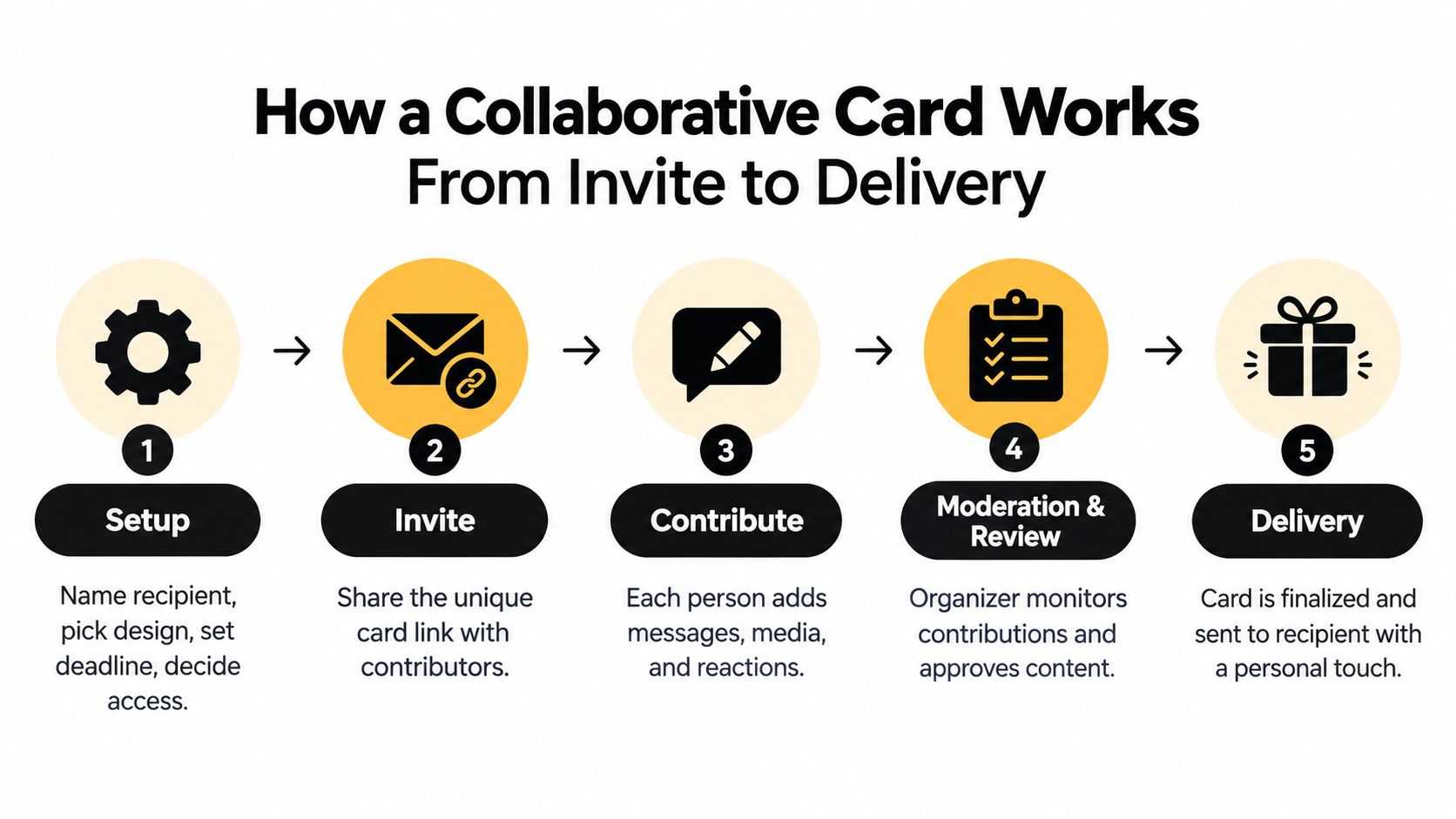
Contributors write their own messages and can add photos, GIFs, or short videos where the occasion and platform allow it. The creator watches participation and sends a reminder before the cutoff. A useful reminder says what to do, how long it should take, and what kind of contribution would help, such as “Add a short farewell and one team photo by Thursday afternoon.”
A guide to collecting group videos quickly can help when contributors are sending recorded messages rather than text.
The creator reviews every entry, removes duplicates, corrects obvious formatting issues, and checks that the tone suits the recipient. Contributors provide the material, but the creator owns the final presentation. Once the review is complete, the creator locks the card.
The platform sends the finished card by email at the scheduled time, or the creator exports a PDF or video keepsake. The recipient opens one consolidated message rather than searching through chat history. Contributors can then be told that delivery is complete and, where appropriate, given access to the saved version.
Choosing a plan starts with the group, not the feature list. A small birthday card, a school-wide retirement message, and a recurring employee-recognition programme have different requirements. Compare contributor capacity, scheduling, moderation, export, branding, and delivery method before paying for extras.
A free tier may suit a small team that only needs written messages and a shareable link. A team tier becomes more useful when several organisers need oversight, when scheduling matters, or when the card includes richer media. A paid tier should earn its place by solving a specific operational constraint, such as a large contributor group, custom branding, or a downloadable video keepsake.
| Feature | Free tier | Team tier | Paid tier, Firacard example |
|---|---|---|---|
| Contributor capacity | Suitable for a small, clearly defined group. | Designed for a broader team or recurring group use. | Firacard's Premium plan supports up to 100 contributors, while Infinity supports unlimited contributors. |
| Scheduling | Check whether delivery is immediate or limited. | Useful when organisers need planned delivery. | Firacard Premium includes scheduled delivery. |
| Media | Often focused on basic messages, depending on the platform. | May support richer contributions. | Firacard Premium includes multimedia, including photos, GIFs, and videos. |
| Moderation | Confirm whether the creator can review entries before delivery. | More suitable when several people help manage content. | Firacard provides creator controls for managing entries and privacy. |
| Export | May offer limited access or sharing. | Look for PDF or presentation options. | Firacard Premium includes slideshow export and downloadable keepsakes. |
| Branding and recipients | Basic presentation may be enough for personal use. | Useful for teams and organisations. | Firacard Premium includes no ads, custom branding, and multiple recipients. |
These tier descriptions are most useful as a decision framework. A PTA chair should check the likely contributor count before choosing a plan. An HR lead should confirm whether scheduling and moderation are included. A nonprofit coordinator should decide whether branding and a saved export justify the additional cost.
Lighter ecard services can be a good fit when the group wants a quick, traditional greeting. Heavier Kudoboard alternatives may suit groups that want a more expansive multimedia board, while a groupgreeting alternative may be preferable when the organiser values a simpler card-like experience. The important question is not which platform has the longest feature list. It's whether contributors can participate easily and whether the recipient receives the format the organiser promised.
For a broader comparison of available approaches, see this guide to platforms for creating group greeting cards.
Good administration makes a collaborative card feel thoughtful rather than improvised. Start with one official link, address the card to a named recipient, and write the deadline in the first invitation. If people receive several links or unclear instructions, some will contribute to the wrong card or assume somebody else has handled it.
The creator should also moderate before delivery. Review every message, remove anything that is off-brand or too personal, check names and spelling, and lock the final card. Contributors may have good intentions, but the organiser remains responsible for making sure the finished card is suitable for its audience.
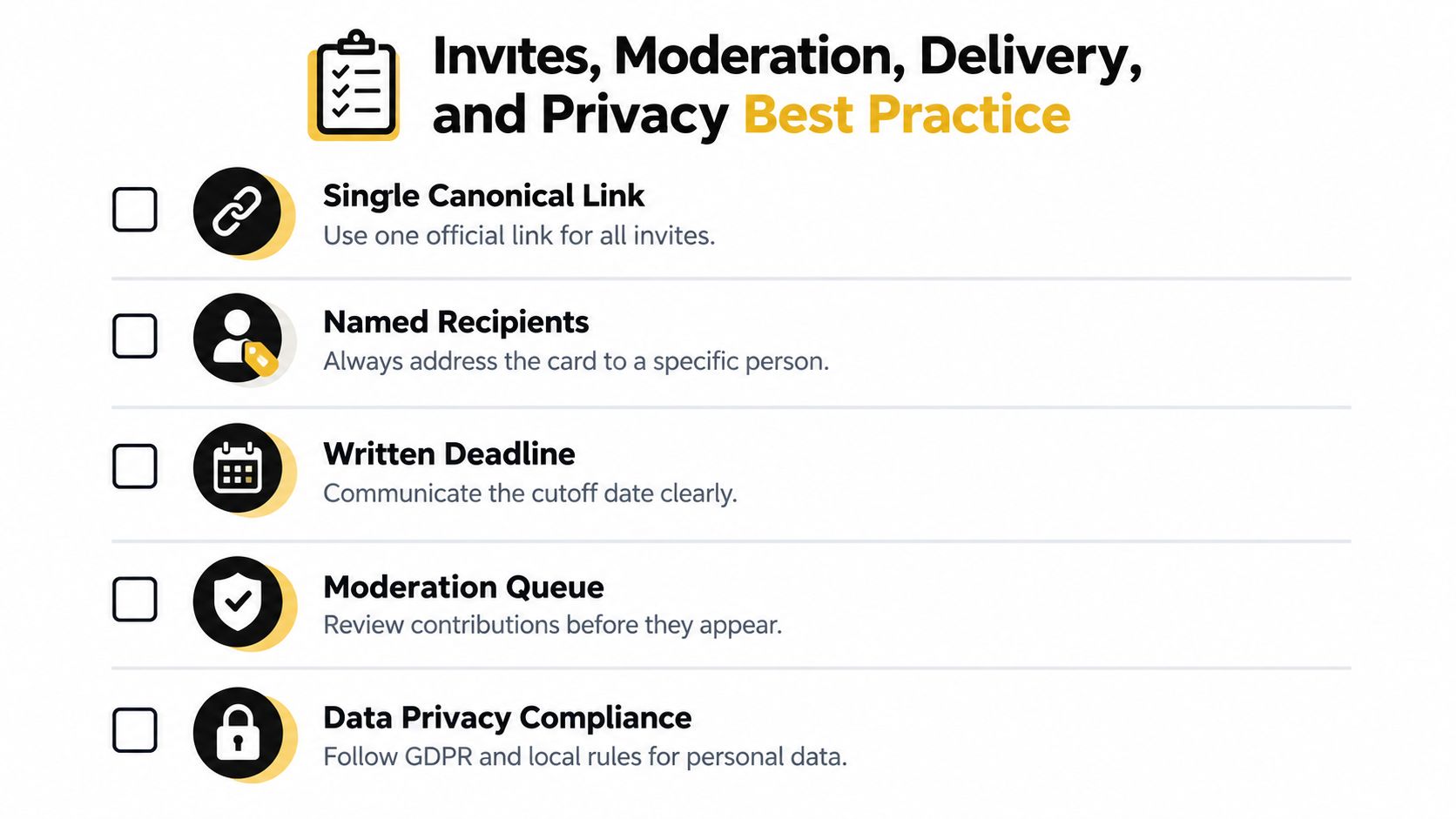
Schedule delivery for a time when the recipient is likely to be reachable. A colleague's morning is usually more considerate than midnight, and a planned moment during the working day gives the team a chance to follow up in person or on a video call. Avoid sending on Friday afternoon when the recipient may already be offline.
UK organisers need to distinguish celebration from marketing. The Privacy and Electronic Communications Regulations define electronic mail broadly, including text, voice, sound, or image messages stored until the recipient collects them, and restrict unsolicited direct-marketing emails without consent. The Information Commissioner's Office guidance on electronic mail marketing says electronic mail marketing generally requires specific consent, with a narrow soft opt-in for existing customers under stated conditions.
A card email addressed to a named recipient isn't automatically a marketing message. Still, contributor email addresses are personal data, so collect them for a clear purpose, limit access, and set a retention point. Delete or anonymise contributor details after the card has been delivered when there's no legitimate reason to keep them. A provider's privacy policy for eCard details illustrates the practical issue, the sender needs the sender's and recipient's names and email addresses, and the sender must have consent to provide the recipient's information.
For seasonal cards, presentation matters too. A resource on how to address Christmas cards can help teams check names, titles, and recipient details before sending.
Pin this checklist: One link, one named recipient, one written deadline, one moderator, one final privacy check, and one scheduled delivery decision.
A coordinator can launch a card this afternoon with seven deliberate moves:
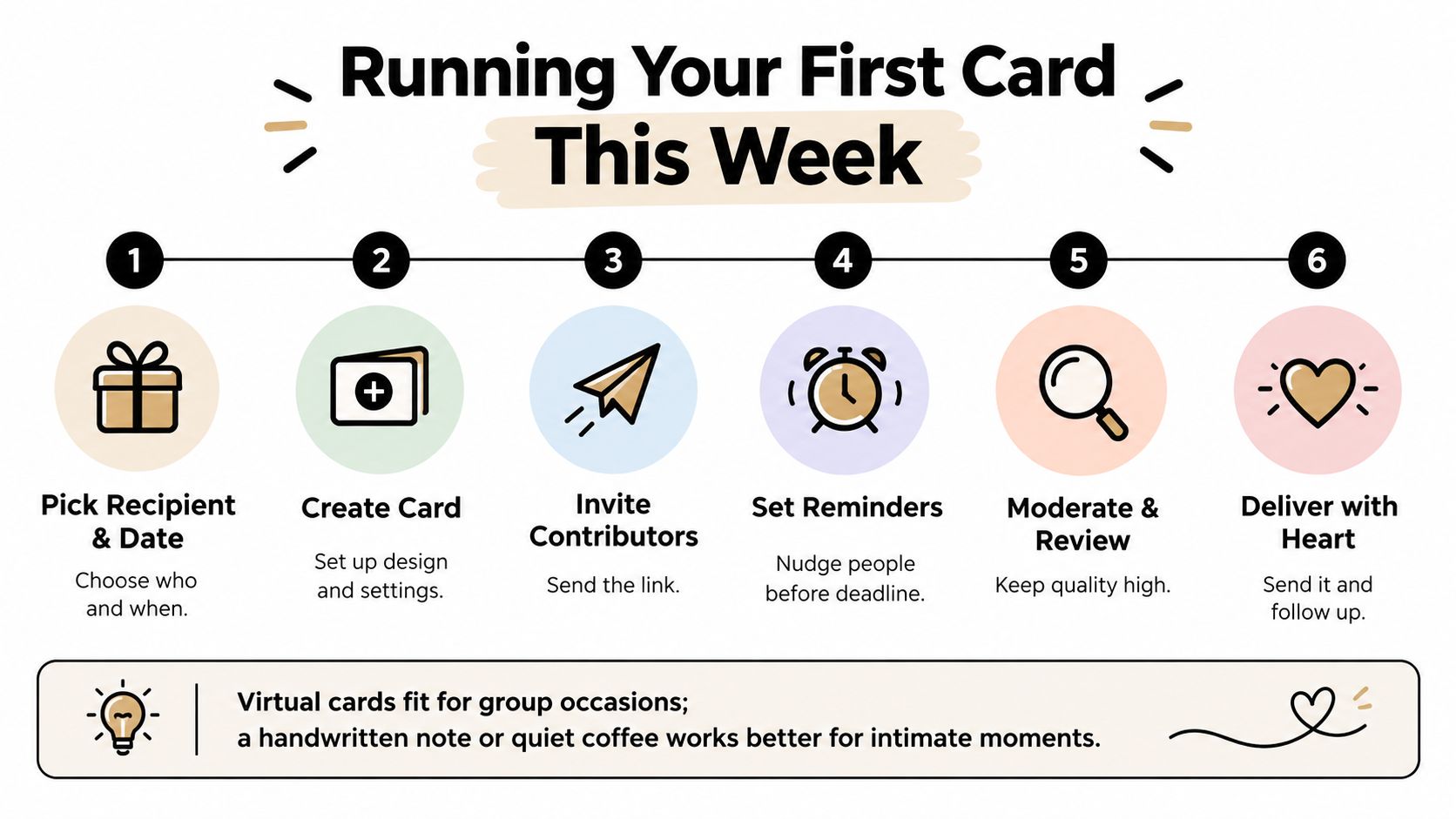
A virtual group card fits when contributions must travel across time zones, photos or voice notes add meaning, and one sender's message isn't enough. Choose a quiet coffee or handwritten note when only two people need to sign, the recipient values physical post, or the occasion calls for a private one-to-one conversation.
Firacard lets teams create one shared card, collect messages, photos, GIFs, and videos through a link, and deliver the finished greeting on schedule or instantly. Visit Firacard to set up a practical group greeting card for your next farewell, birthday, school celebration, or team milestone.


Finding the right words for a 50th birthday can feel oddly difficult. You want to honour a major milestone without making the message sound like a
You've just heard that someone you care about has lost a parent. The funeral is approaching, friends are scattered across cities, and nobody w
You can have hundreds of friendly contacts and still feel unsure who would answer when life gets messy, so what makes a friendship good, and how ca